Free
For trying it every day.
$0forever
- 2,000 words a week
- Dictate and Translate
- Dictionary of up to 100 words
- 10 snippets
- Up to 30 minutes of recording a day
- Every app: Mac, Windows, Android, iPhone
The voice keyboard for every language
Hold a key or tap the mic and talk the way you normally talk, even switching languages mid-sentence. Clean, punctuated text appears in the app you’re typing in, in your language or translated into any of 74.
14 days of Pro free, no card needed. Create a free account
macOS 12 or later · Windows 10 or 11 · Android 8 or later · iPhone in private beta

74 languages
Wurd recognises what you’re speaking by itself. Dictate writes it back in that language. Translate writes it in the language you pick, in the same step.
Translate
Flip the keyboard to Translate (or hold fn + ⌃ on a Mac) and say it in your language. The translation is already in the box, written naturally rather than word for word. No translator tab, no copy and paste.
Eh, te mando el contrato mañana por la mañana y la factura el viernes.I will send you the contract tomorrow morning and the invoice on Friday.
Hi, um, can you please confirm the booking for 4 people at 8 pm on Saturday?مرحبًا، هل يمكنك من فضلك تأكيد الحجز لـ 4 أشخاص في تمام الساعة 8 مساءً يوم السبت؟
Bonjour, euh, je vous envoie le devis demain matin et la facture vendredi.Guten Tag, ich sende Ihnen morgen früh den Kostenvoranschlag und am Freitag die Rechnung.
Can we move the call to Monday morning? I’ll send the agenda tonight.通話を月曜日の朝に変更することはできますか?アジェンダは今夜送ります。
Oi, o pedido saiu hoje e chega na quinta-feira.안녕하세요, 주문하신 상품은 오늘 출발했으며 목요일에 도착할 예정입니다.
উম, আপনার অর্ডারটা কাল শিপ হবে, ট্র্যাকিং নম্বরটা আমি পরে পাঠিয়ে দেব।Your order will be shipped tomorrow, and I will send you the tracking number later.
Real Wurd output, from sentences written the way people say them. On your device it starts from your voice.
Dictate
Wurd keeps what you meant and drops the rest: the ums, the false starts, the thing you corrected three words later. It adds nothing.
English
Your correction wins, and every number is checked
You say
Hi Karim, uh, the total is 4,200, no, sorry, 4,520 dollars, due on the 15th.Wurd writes
Hi Karim, the total is 4,520 dollars, due on the 15th.
Japanese
A change of mind, in any language
You say
えーと、明日の打ち合わせは、あの、10時、いや、11時からにしましょう。Wurd writes
明日の打ち合わせは11時からにしましょう。
Arabic
Written right to left, as you’d type it
You say
مرحبا، آه، سأصل الساعة 8، لا عفوا، الساعة 9 صباحا، انتظرني عند المدخل من فضلك.Wurd writes
مرحبا، سأصل الساعة 9 صباحا، انتظرني عند المدخل من فضلك.
Spanish
False starts gone, the meaning kept
You say
Hola Marta, eh, nos vemos el martes, no, perdón, el miércoles a las 3 en la oficina.Wurd writes
Hola Marta, nos vemos el miércoles a las 3 en la oficina.
Hindi and English
Two languages in one sentence
You say
कल की meeting को, um, चार बजे कर दो, और boss को बता देना कि मैं late आऊंगा।Wurd writes
कल की meeting को, चार बजे कर दो, और boss को बता देना कि मैं late आऊंगा।
English and Spanish
Each word stays in the language you said it in
You say
So I told him, um, que no puedo ir el viernes porque tengo un meeting con el cliente.Wurd writes
So I told him, que no puedo ir el viernes porque tengo un meeting con el cliente.
On your computer
Wurd lives in the menu bar or the tray. The text is pasted wherever your cursor is (mail, chat, documents, the browser, a code editor) and your clipboard is put back the way it was.

On your phone
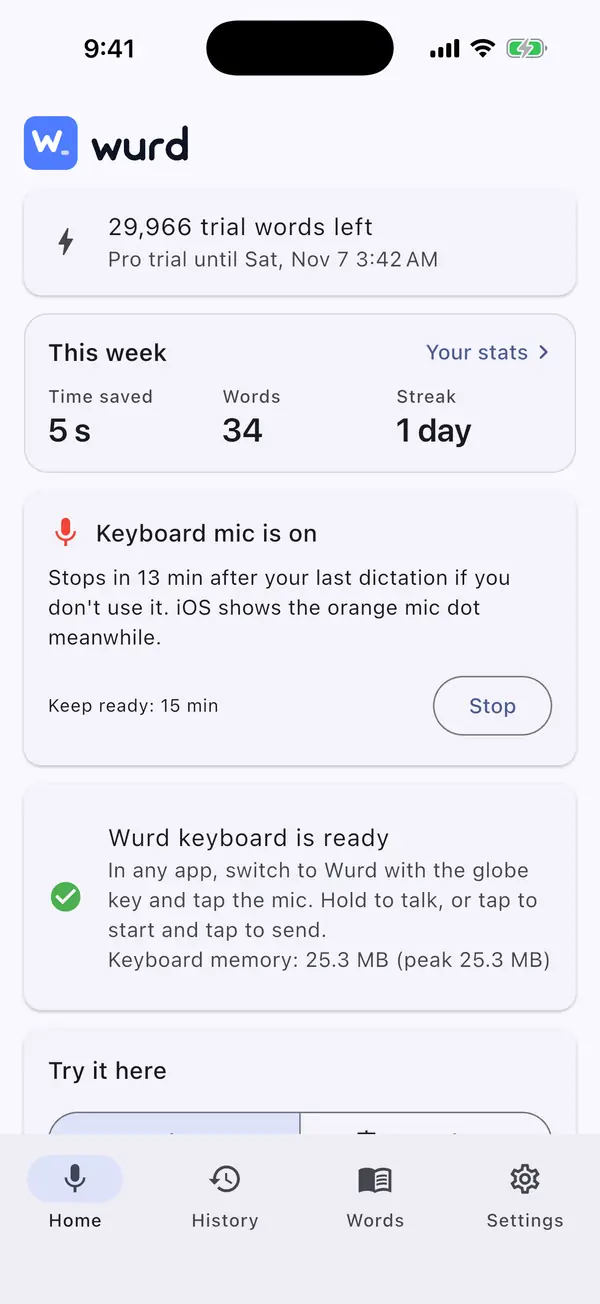
Wurd adds its own keyboard to your Android phone or iPhone. Type as usual, or tap the mic and talk.
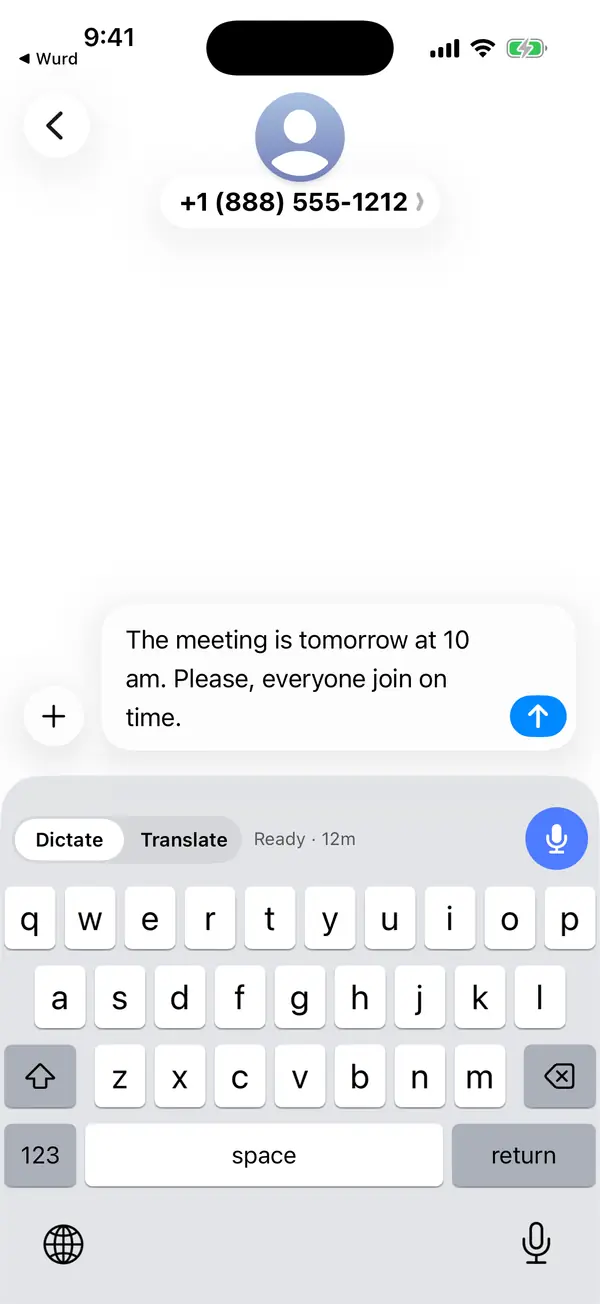
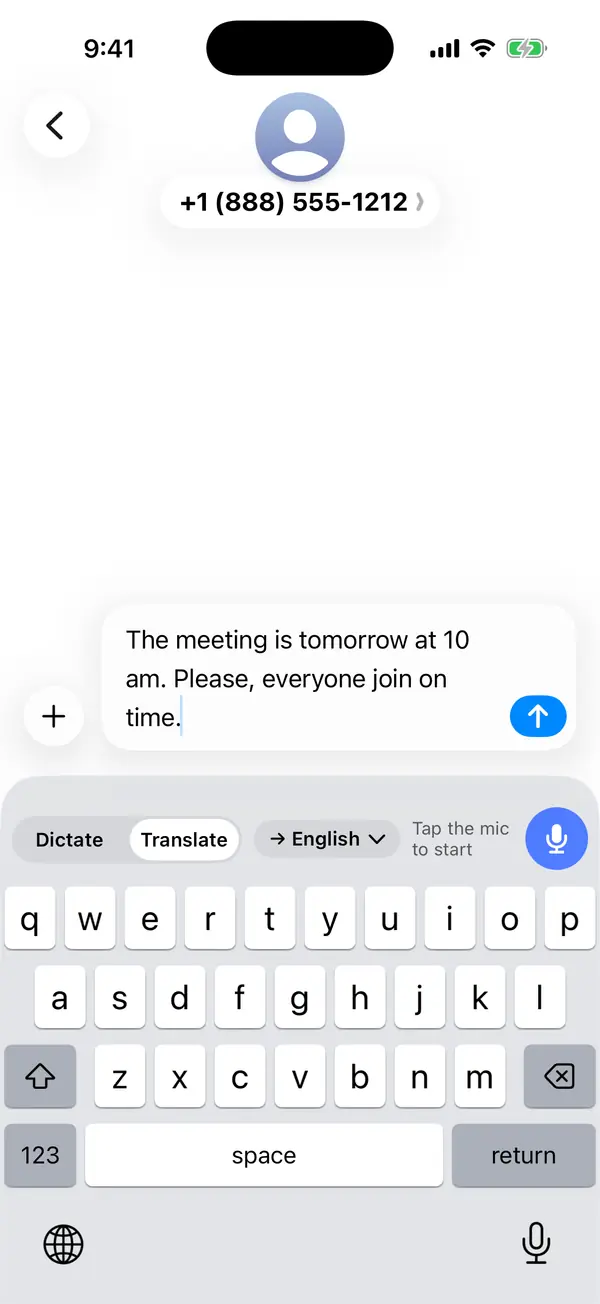
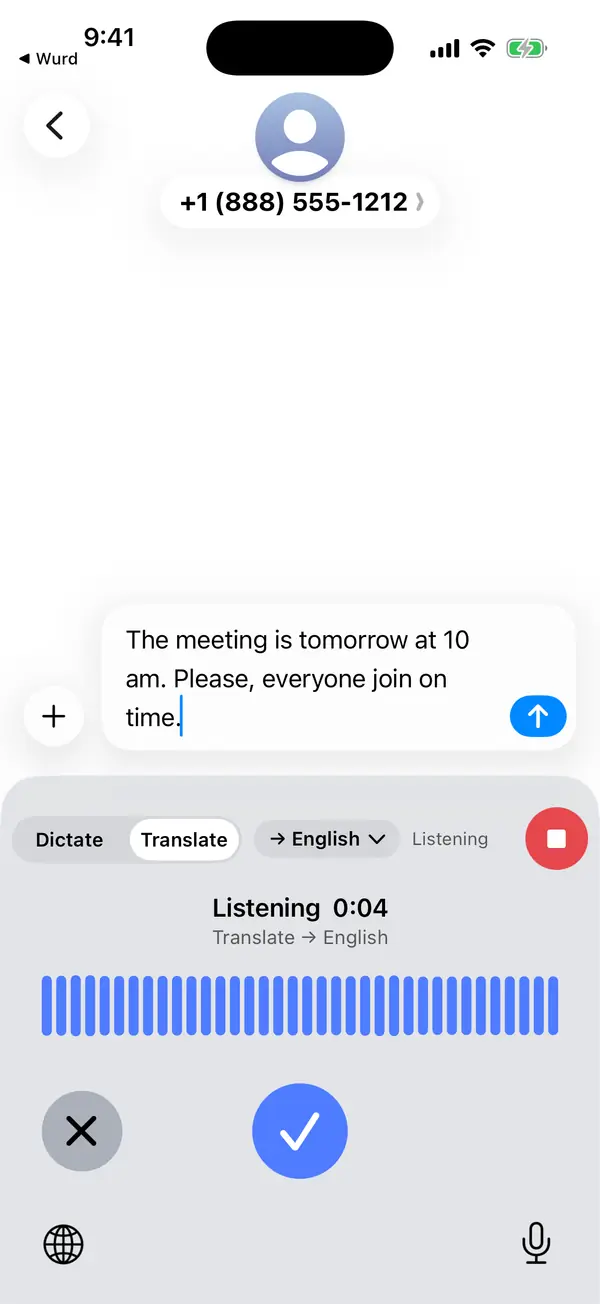
Switch to it in any app: messages, email, notes. Type as usual; the Wurd bar adds the mic and a Dictate / Translate switch.
In your language, or two at once. Tap ✓ when you’re done (or hold the mic while you talk) and the text goes where your cursor is.
Dictate writes in the language you spoke. Translate writes in the language you pick, whatever you speak.
Screens from the iPhone app, which is in private beta. On Android, also a floating mic bubble that works over any app.
Why Wurd
Dictation only saves time if you don’t have to re-read every line. These are the rules every dictation follows.
Wurd takes out the ums, keeps your “no, I mean…” corrections and fixes punctuation. It doesn’t add greetings, sign-offs or ideas you didn’t say. If it can’t make out what you said, it writes nothing and tells you why.
Prices, phone numbers, dates and order IDs are compared with what you said, in any script’s digits. If one doesn’t match, you get your own words back with a warning, never a wrong figure.
Switch languages in the middle of a sentence, the way people really talk. Wurd keeps each word in the language you said it in.
Add names, places, brands and jargon to your dictionary (100 words on Free, 2,000 on Pro). Wurd listens for them and spells them your way.
Say a short trigger such as “my address” and Wurd drops in the full text, exactly as you saved it.
Dictate a question and Wurd writes the question down. It never replies to it or follows instructions hidden in your speech.
Chat gets one tidy paragraph; email and documents get paragraphs, and a list when you list things out loud. Wurd only knows the app’s name, never what’s on your screen.
Words, speaking speed and time saved compared with typing, for Dictate and Translate separately. What you said is never part of them.
Your stats
Wurd counts your words, your speaking speed and the time you saved compared with typing at 40 words a minute, for Dictate and Translate separately. It’s on the Home screen of every app and in the web portal.

Get Wurd
One account everywhere. Your dictionary, snippets and stats follow you.
Lives in the menu bar. Hold fn anywhere to dictate. Updates install themselves.
macOS 12 or later

Lives in the tray. Hold Ctrl + Win anywhere to dictate.
Windows 10 or 11. If Windows says “Windows protected your PC”, click More info, then Run anyway.
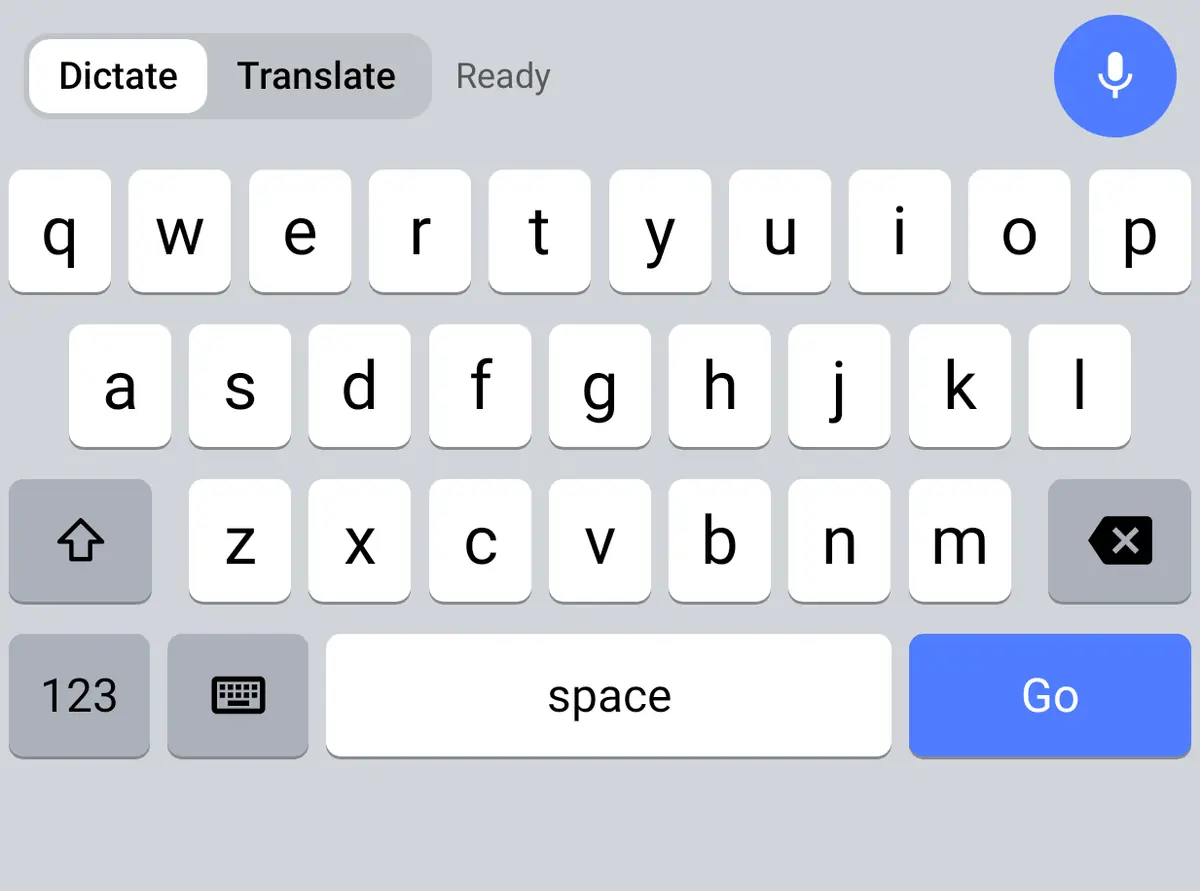
The Wurd keyboard, plus a floating mic bubble that works over any app, even with another keyboard.
Android 8 or later
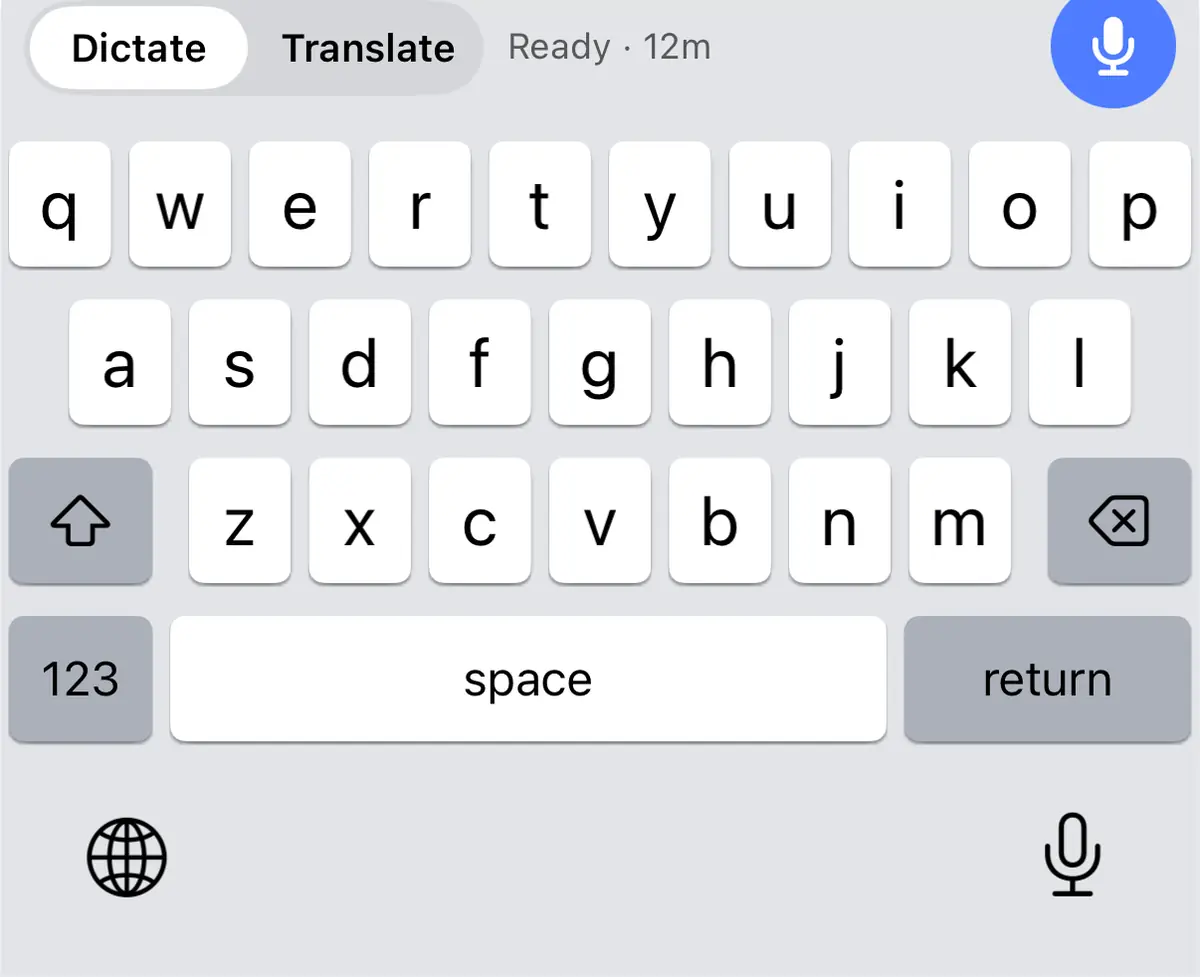
The Wurd keyboard, in every app. The first tap each session opens Wurd for a moment to switch the mic on (an iOS rule).
In private beta. Your Wurd account will work here too.
Privacy
Wurd needs your voice only for the moment it takes to write it down. Every provider that touches your audio or text is named in the Privacy Policy.
Pricing
Use every feature free each week, or go Pro when Wurd becomes how you write.
Every new account starts with 14 days of Pro, up to 30,000 words. No card needed.
For trying it every day.
$0forever
For people who write all day.
$12a month
or $96 a year ($8 a month)
Buy Pro on the web or from the Mac and Windows apps, with tax included in the price. On Android you buy through Google Play, which shows the price in your currency. Weekly words reset every Monday at 00:00 UTC.
Watch the intro
With a voiceover; captions are in the player. The people and messages in it are made up. Also on YouTube
FAQ
A voice keyboard for every app, in your language. Hold a key (or tap the mic on your phone), speak naturally, let go, and clean text appears where your cursor is. Translate does the same but writes in another language: speak Spanish and send English, speak English and send Arabic.
74 languages, and the full list is on this page. Speak in your own language: Wurd recognises it by itself, and Dictate writes it back in that language. Translate takes speech in any of them and writes it in the one you pick, from English, Spanish and Arabic to Hindi, Japanese and Bangla. You choose the output language once in the app and can switch it from the keyboard at any time.
Yes. Plenty of people switch languages mid-sentence: Hindi with English words, Spanish with English. Wurd recognises the mix and keeps each word in the language you said it in.
Mac (hold fn), Windows (hold Ctrl + Win), Android (the Wurd keyboard and a floating mic bubble) and iPhone (the Wurd keyboard). One account works everywhere, and your dictionary, snippets and stats follow you. The Mac and Windows apps are available to download (macOS 12 or later, Windows 10 or 11), the Android app is on Google Play (Android 8 or later), and the iPhone app is in private beta.
Yes. Wurd for Windows isn’t signed with our code-signing certificate yet (it’s on its way), so Windows SmartScreen asks once before the first install. Click More info, check that the app is Wurd, then click Run anyway. Download it only from this site; the installer comes from wurd-downloads.web.app. After that, Wurd updates itself.
On a computer, anywhere you can paste: email, chat, documents, browsers, code editors, terminals. Wurd puts your clipboard back afterwards. If an app can’t take the text (for example a Windows app running as administrator), Wurd copies it and tells you. On Android the bubble works over any app; with another keyboard open it copies the text and shows a “tap to paste” notice.
iOS doesn’t let keyboards use the microphone. When you tap the mic, Wurd opens for a moment to start it, then you go back to your app and talk. The mic stays ready for as long as you choose (5, 15 or 60 minutes, or until you stop it), so after the first time it’s just tap and speak.
Wurd never stores your audio. It goes to our speech-to-text provider to be written down, and we delete the transcript there right after. Your text isn’t kept on our servers either, unless you turn on cloud history (it’s off by default). Every provider that processes your audio or text is named in the Privacy Policy.
Only the way it reads. Wurd removes filler, applies your own corrections (“no, I mean…”) and fixes punctuation. It doesn’t add content, answer questions you dictate, or “fix” names and terms in your dictionary. Numbers are checked against what you said; if anything doesn’t match, you get your original words with a warning.
No, it needs an internet connection. If the connection drops, your recording stays on your device and you can press Retry without speaking again.
New accounts get 14 days of Pro (up to 30,000 words), then the Free plan with 2,000 words a week. Pro is $12 a month or $96 a year, tax included, on the web and in the Mac and Windows apps. On Android, Google Play shows the price in your currency.
Yes. In the web portal (Settings) you can download everything as a file, delete your cloud history, or delete your account. Deleting your account removes your personal data from Wurd straight away; the Privacy Policy lists the few anonymous records we keep.
Write to support@wurd.ai, or use Help in the portal once you’re signed in (it can attach the request ID of a dictation that went wrong).
Hold a key or tap the mic and start talking. Your first 14 days are Pro, no card needed. One account works everywhere.
The iPhone app is in private beta.