- Mac
- Guides
Apple Dictation Alternative for Mac: When to Switch (2026)
Mac Dictation is free and built in. Here's when an AI dictation app for Mac like Wurd is the better choice, and how they compare on real tasks.
11 min read
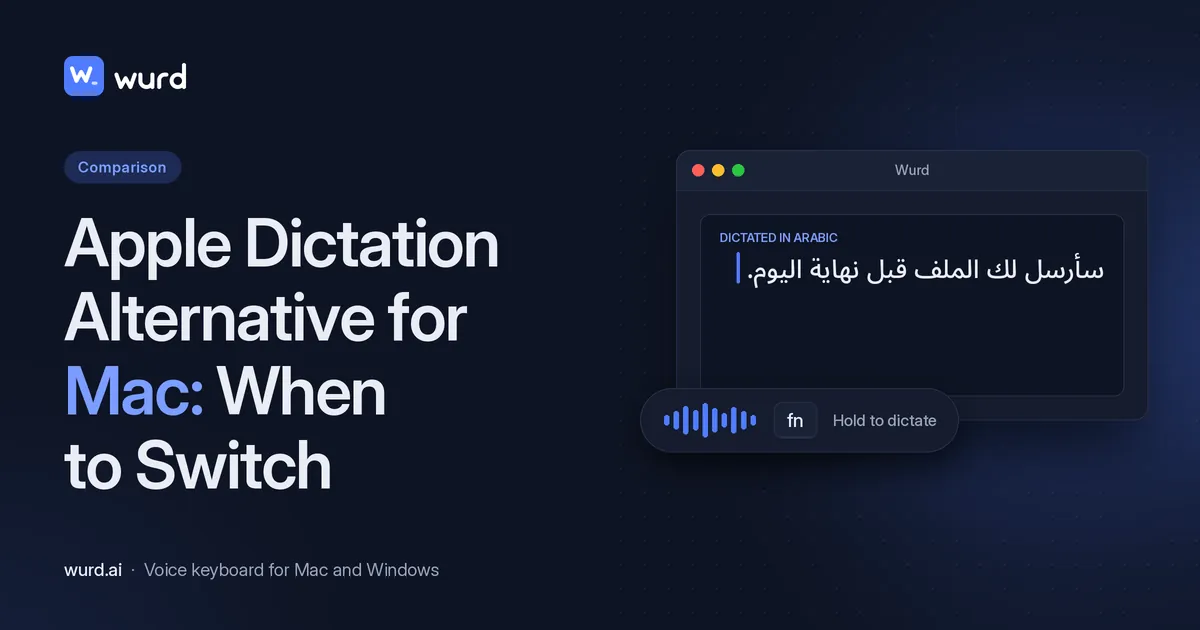
Every Mac has free dictation built in. So why install a separate dictation app for Mac? For short notes, you may not. But if you write long emails by voice, mix languages, dictate numbers that have to be right, or want to speak in one language and send text in another, an AI dictation app can save real time.
Disclosure: Wurd is made by 6amTech, the publisher of this blog. Wurd is in beta and needs an internet connection; there's no offline mode. Facts about Apple and other apps come from their official pages, linked where they're used, and were checked on 28 Oct 2026.
What we compared: price, languages, translation, clean-up, numbers, custom words, offline use and privacy. We don't score accuracy; test that with your own voice.
Apple Dictation in 60 seconds
Apple Dictation is built into macOS. Apple says "you can speak to enter text anywhere you can type it". Here's how it works, from Apple's Dictation guide:
- Turn it on: System Settings > Keyboard > Dictation.
- Start it: press the Microphone key, use the Dictation keyboard shortcut (you can change it), or choose Edit > Start Dictation.
- Stop it: press Escape, the Microphone key or the shortcut. It also stops by itself after 30 seconds of silence. There's no time limit while you talk.
- Punctuation and emoji: auto-punctuation works in supported languages, and you can say names like "exclamation mark" or "heart emoji".
- Languages: you can add several and switch with the language indicator or the Globe key.
- AI clean-up: with Apple Intelligence in macOS 27, dictation uses an on-device model to improve spelling, punctuation and capitalization. This works in English, on Macs with M3 or later and at least 12GB of unified memory.
- Voice Control: when Voice Control is on, standard Dictation isn't available.
Is Apple Dictation good? Where it works well
Yes, especially for quick replies in one language. For supported languages, Apple says you can check Keyboard settings to see whether dictation is "processed on your device and not sent to Siri servers" (Apple guide). Its on-device dictation list notes that it "requires download of speech models" (macOS feature availability).
Where you may want an alternative
A dedicated app may suit you better in four situations.
Language coverage and mixing languages
Apple Dictation works in the languages on Apple's published Dictation list (macOS feature availability). If your language isn't on the list, for example Bengali, an AI app may be the better fit. The same goes if you switch languages mid-sentence, as many people do.
Sending text in another language
macOS has system-wide Translate: select text in an app, Control-click, choose Translate, and you can click "Replace with Translation" to swap in the translated text (Apple: Translate text on Mac). With Apple Intelligence, Live Translation also translates Messages and adds live translated captions in FaceTime (Apple Intelligence: communicate with ease). These work on text you've already written or on conversations; we didn't find a speak-and-translate step in Apple's Dictation guide. Wurd's Translate mode writes in the language you pick in the same step as you dictate (see below).
Clean-up without rewriting
For long emails or documents, you may want the ums taken out and your corrections kept, with paragraphs and lists added and nothing invented. Apple's on-device clean-up (above) covers spelling, punctuation and capitalization. Wurd's clean-up is described below.
Getting numbers right, plus snippets and custom words
If you dictate prices, order IDs or phone numbers, number checking matters. Apple's Dictation guide doesn't describe number checking, a dictation dictionary or voice snippets.
Dictation on Mac not working?
Before you switch, try Apple's own fixes: check your microphone and input volume, and your internet connection (If Dictation on Mac doesn't work as expected).
Wurd: an AI dictation app for Mac
Wurd is a voice keyboard. You hold a key, speak naturally, let go, and clean text appears where your cursor is.
How it works on Mac
Wurd lives in your menu bar: see Wurd for Mac (macOS 12 or later). Updates install themselves.
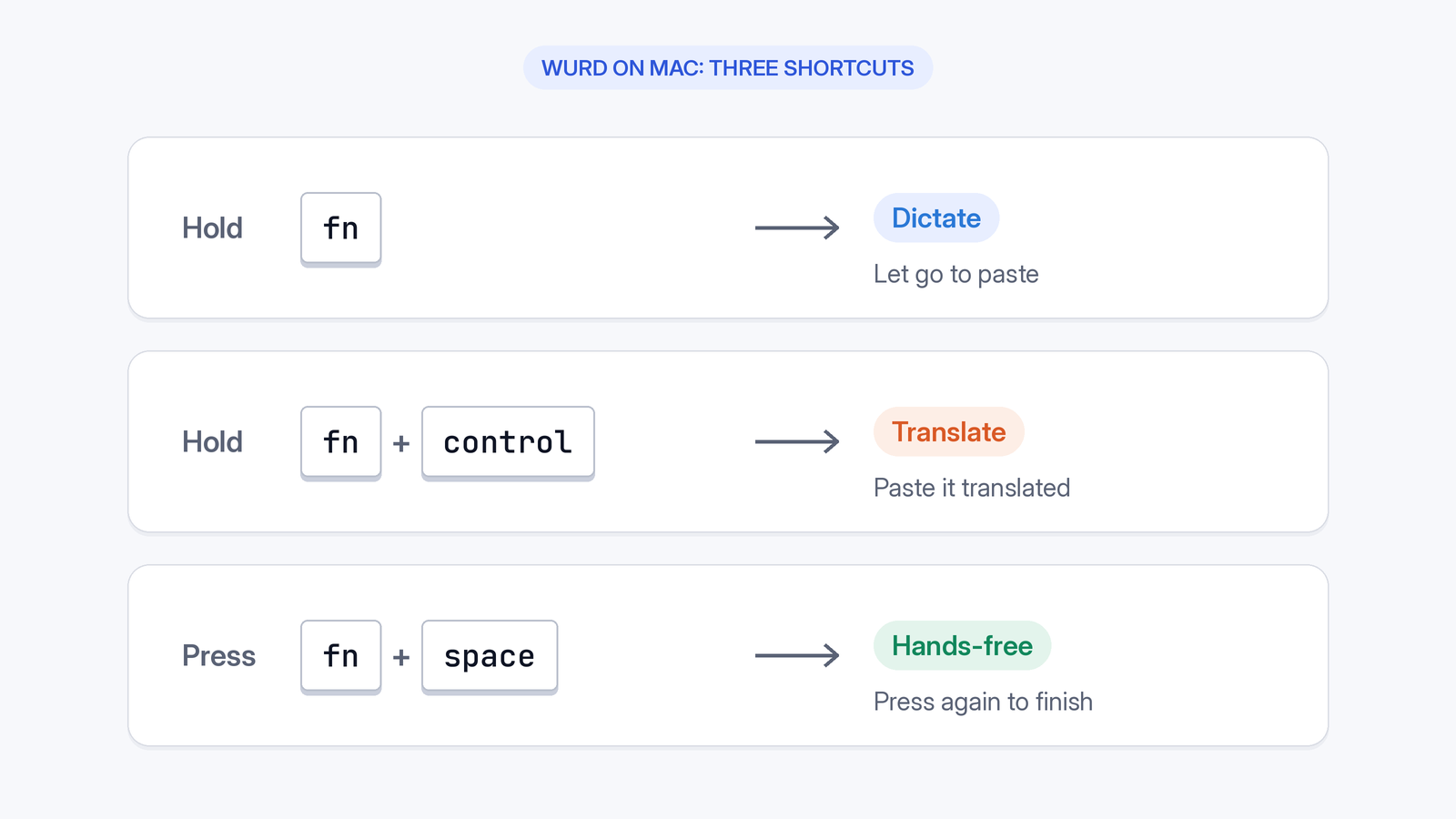
- Hold fn to dictate.
- Hold fn + ⌃ (Control) to translate.
- Press fn + Space once for hands-free, then again to finish.
It works anywhere you can paste: email, chat, documents, browsers, code editors and terminals. If your connection drops, the recording stays on your Mac (until the text arrives, 24 hours at most) so you can retry.
Speak in any language, even mixed
Wurd is built to dictate in any language. It recognizes the language you speak by itself. You can "switch languages in the middle of a sentence, the way people really talk", and it keeps each word in the language you said it in. Spanish with English, Hindi with English, Arabic with French, or Chinese with English: speak the way you normally do. Wurd doesn't publish a language list, so try your own languages on the free plan.
Translate in one step (fn + ⌃)
Hold fn + ⌃ and speak in any language. Wurd writes it in the language you picked: any language into English, or any into any. "Say it in one language, send it in another, in the same step." The translation is written naturally rather than word for word, with no translator tab and no copy and paste. Wurd's site documents Windows dictation as hold Ctrl + Win, and it doesn't publish a Windows shortcut for Translate.
It never adds words, and it checks every number
- It never adds words. Wurd takes out the ums, keeps your "no, I mean…" corrections and fixes punctuation. It doesn't add greetings, sign-offs or ideas you didn't say. If it can't make out what you said, it writes nothing and tells you why.
- It checks every number. Prices, phone numbers, dates and order IDs are compared with what you said, in any script's digits. If one doesn't match, you get your own words back with a warning, never a wrong figure.
- It fits the app. Chat gets one tidy paragraph; email and documents get paragraphs, and a list when you list things out loud. Wurd only knows the app's name, never what's on your screen.
- It writes, it doesn't answer. If you dictate a question, Wurd writes the question down.
Like any speech tool, Wurd can mishear, so read before sending.
Your words: dictionary and snippets
Add names, places, brands and jargon to your dictionary (100 words on Free, 2,000 on the planned Pro plan) and Wurd spells them your way. Snippets let you say a short trigger like "my address" and drop in the full saved text (10 on Free, 500 on planned Pro).

Apple Dictation vs Wurd: comparison table
| Apple Dictation | Wurd | |
|---|---|---|
| Price | Built into macOS | Free plan: $0, 2,000 words/week. Pro planned at $12/mo or $96/yr (may change); billing not open |
| Where it types | "Anywhere you can type it" | Anywhere you can paste |
| Start | Microphone key, custom shortcut or Edit menu | Hold fn; fn + Space hands-free |
| Languages / mixed | Listed languages; switch with Globe key | Any language; switch mid-sentence |
| Translation | Not in Dictation; separate system-wide Translate for selected text | Yes on Mac (fn + ⌃); no Windows Translate shortcut is published |
| Clean-up | Auto-punctuation; on-device AI clean-up in English on M3+ with 12GB+ | Removes fillers, keeps corrections, formats for the app; never adds words |
| Number checking | Not stated | Checks every number against what you said |
| Custom words | Not stated in Dictation guide | Dictionary (100 words Free) |
| Snippets | Not stated in Dictation guide | 10 on Free |
| Offline | On-device dictation for listed languages (speech model download) | No; needs internet |
| Privacy | On-device for supported languages; optional audio sharing with Apple | Wurd never stores your audio; history on your Mac |
Checked 28 Oct 2026. Sources: Apple Dictation guide, Translate text on Mac, Apple Intelligence: communicate with ease, Dictation troubleshooting and feature availability; Wispr Flow pricing, downloads, system requirements, languages and data controls; Superwhisper home, plans, introduction and quickstart; MacWhisper; VoiceInk and VoiceInk pricing. Wurd: wurd.ai and privacy policy.
Privacy compared
Apple Dictation: for supported languages, dictation can be processed on your Mac, and Keyboard settings show whether it's "processed on your device and not sent to Siri servers". When you turn Dictation on, Apple may ask whether to share audio recordings. If you click Share Audio Recordings, Apple can "store audio of your Siri and Dictation interactions" and "may review a sample of stored audio". You can change this under Privacy & Security > Analytics & Improvements (Apple guide).
Wurd: processing is in the cloud. Wurd never stores your audio: your recording goes to its speech-to-text provider (ElevenLabs) to be written down, and the AI clean-up step runs only on zero-data-retention endpoints. Your history stays on your Mac, cloud history is off unless you turn it on, and logs hold counts and timings, never what you said. Nothing you say trains AI models at Wurd. See how Wurd handles your voice and the privacy policy.
If audio must never leave your Mac, Apple's on-device dictation or a local app suits you better than Wurd.

Other dictation and speech to text apps for Mac
- Wispr Flow: Mac (macOS 12+), Windows and iPhone. Android is listed on its pricing and system-requirements pages, but its downloads page still showed an Android waitlist (downloads). Free: 2,000 words a week on desktop. Pro: $15 per user a month, or $12 per user a month billed annually. Cloud only. 100+ languages, one language per dictation (pricing; system requirements; languages; data controls). Best for: cloud dictation on Mac, Windows and iPhone.
- Superwhisper: macOS 14+. Free: unlimited dictation with local models. Pro: $8.49 a month, $84.99 a year or $249.99 lifetime. "Works offline" with local models. Pro can translate to English (plans; quickstart; intro; home). Best for: local dictation with your choice of models.
- MacWhisper: Mac. Free app; Pro is €64 one-time (the price shown in EUR when we checked). Runs locally. Dictation and file transcription in "100 different languages" (MacWhisper). Best for: transcribing recordings and paying once.
- VoiceInk: Apple Silicon Macs on macOS 14.4+. Free trial. One-time license from $25, shown with a "50% Off" banner. Transcription is local and the app is open source. Languages: not stated (VoiceInk; pricing). Best for: private, local dictation for a one-time price.
Which should you use?
- Stay with Apple Dictation if you dictate short texts in one language, want something free and built in, or need on-device processing in a supported language.
- Choose a local app (VoiceInk, Superwhisper, MacWhisper) if your audio must stay on your Mac and you want to pick your own models.
- Choose Wurd if you mix languages, want to speak in one language and send text in another, need numbers checked, or want tidy, app-aware formatting without the app adding words.
- Choose Wispr Flow if you want a cloud dictation app on Mac, Windows and iPhone.
Our recommendation: Keep Apple Dictation for quick notes. If you write a lot by voice, especially in more than one language, compare Wurd on the free plan.
The free plan
Wurd's free plan is $0 with 2,000 words a week, Dictate and Translate, a 100-word dictionary and 10 snippets. Every new account starts with 14 days of Pro, up to 30,000 words. No card needed. Paid plans aren't open and nobody is charged; Pro is planned at $12 a month or $96 a year, and prices may change.
FAQ
Is Apple Dictation good? Yes, for short, everyday dictation. It's free, built in and works anywhere you can type. A dedicated app helps most with mixed languages, translation in the same step as you dictate, long-form clean-up and numbers.
How do I turn on Dictation on Mac? Go to System Settings > Keyboard > Dictation and turn it on. Then press the Microphone key, use the Dictation shortcut, or choose Edit > Start Dictation (Apple guide).
What is the best dictation app for Mac? For quick, free use, Apple Dictation. For local processing on your Mac, Superwhisper, VoiceInk or MacWhisper. For mixed languages and translation in one step, Wurd.
What are some good AI dictation and speech to text apps for Mac? Wurd, Wispr Flow, Superwhisper, MacWhisper and VoiceInk (see above).
What if my language isn't supported by Apple Dictation? Check Apple's feature-availability list. Wurd is built to dictate in any language. It doesn't publish a language list, so test yours on the free plan.
Is Wurd free? Yes. The free plan is $0 with 2,000 words a week. Pro is planned at $12 a month; paid plans aren't open, and prices may change.
Does Wurd work offline? No, Wurd needs an internet connection.
Why is dictation not working on my Mac? Start with Apple's troubleshooting page: If Dictation on Mac doesn't work as expected.
Keep reading
- Bangla
- Guides
- Mac
- Windows
Bangla Voice Typing on Mac & Windows: How-To (2026)
How to do Bangla voice typing on a Mac or Windows PC when built-in dictation has no Bangla: step-by-step setup, Banglish tips and fixes.
12 min read
- Guides
- Mac
- Windows
How to Dictate in Spanish, Hindi or Arabic on Mac & PC
Dictate in Spanish, Hindi or Arabic on Mac or Windows: built-in dictation settings step by step, which languages each supports, and a dictation app option.
10 min read