- Bangla
- Guides
- Mac
- Windows
Bangla Voice Typing on Mac & Windows: How-To (2026)
How to do Bangla voice typing on a Mac or Windows PC when built-in dictation has no Bangla: step-by-step setup, Banglish tips and fixes.
12 min read
Bangla voice typing is faster than hunting for Bangla letters on a keyboard, but neither a Mac nor a Windows PC does it out of the box. This guide covers what works on a computer: Google Docs voice typing in your browser, Wurd for Bangla voice to text in any app on Mac and Windows, and a keyboard fallback. If you searched for বাংলা ভয়েস টাইপিং, here it is, step by step.
Quick answer
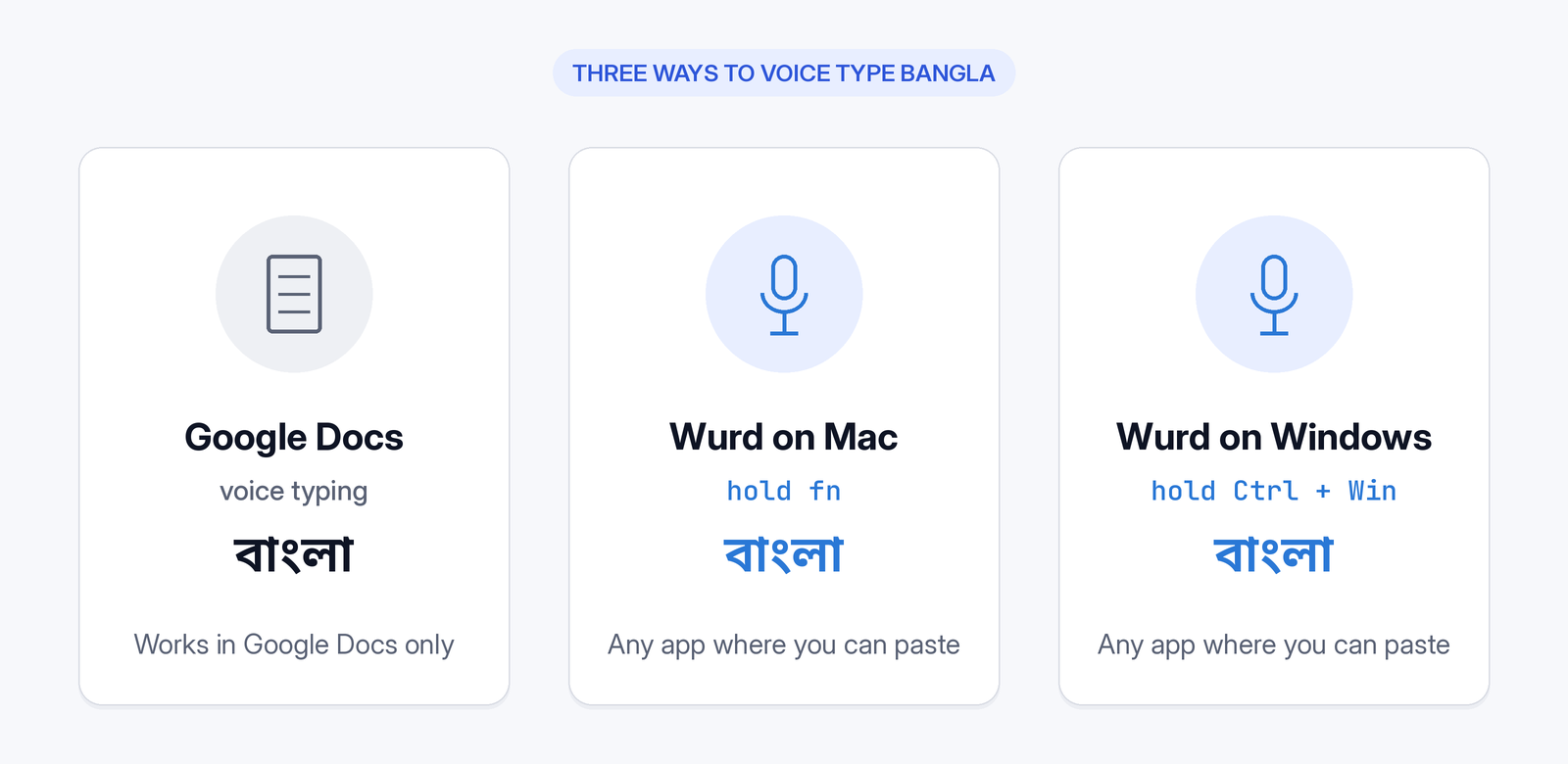
Apple's Mac Dictation and Microsoft's Windows voice typing don't list Bangla. For voice typing Bangla inside Google Docs, use Google Docs voice typing in your browser, which lists Bengali. To get Bangla speech to text in any app, use the Wurd voice keyboard. On a Mac, hold fn, speak and let go. On Windows, hold Ctrl + Win, speak and release. The text appears where your cursor is.
Why Mac Dictation and Windows voice typing can't type Bangla
Mac: Apple says Dictation "is not available in all languages or regions" and points to its macOS Feature Availability page. There, the Dictation list includes English (India) and Hindi (India), but not Bengali or Bangla (Apple macOS Feature Availability, checked 28 Oct 2026; Apple Support: Dictate messages and documents on Mac, checked 28 Oct 2026). Bangla appears on that page for keyboards and typing, a Bangla–English dictionary and a Bangla calendar, and Bengali (India) is listed for VoiceOver. None of those turns speech into text.
Windows: Microsoft's voice typing (Windows key + H) lists Indian languages such as Hindi, Gujarati, Marathi, Tamil and Telugu for Windows 11, but not Bengali. The Windows 10 dictation list is shorter and has no Bengali either (Microsoft Support: Use voice typing to talk instead of type on your PC, checked 28 Oct 2026).
So neither system has a built-in way to speak Bangla and get text typed into your apps. an Apple Dictation alternative for Mac
[CAPTURE NEEDED: Apple's Feature Availability Dictation list and Microsoft's voice typing language list side by side, showing no Bengali. Capture at publish time with the dates visible.]
Method 1: Google Docs voice typing in Bangla (Docs only)
Google's help page lists Bengali (Bangladesh) and Bengali (India) under "Languages that work with voice typing". It says the feature "works with the latest versions of" Chrome, Edge and Safari (Google Docs Editors Help: Type & edit with your voice, checked 28 Oct 2026). Google's steps:
- Make sure your computer microphone is "on and working".
- "Open a document in Google Docs in a supported browser."
- "Click Tools > Voice typing. A microphone box appears."
- "When you're ready to speak, click the microphone." Speak "clearly and at a normal volume and pace."
- "When you're done, click the microphone again."
[CAPTURE NEEDED: Check on screen how to choose Bengali (Bangladesh) or Bengali (India) for voice typing in Docs. Google's help page doesn't describe this step, so add it only after it has been verified.]
The limits: Google's voice typing covers documents in Google Docs and "your speaker notes and captions in Google Slides", not your other apps. Google says "punctuation might not be available in every language" and "voice commands are available only in English". It also notes: "If this feature is not enabled in your organization, it may have been turned off by your administrator."
[CAPTURE NEEDED: Google Docs with Tools > Voice typing open and the microphone box showing.]
Method 2: Bangla voice typing in any app on Mac with Wurd
Wurd is a voice keyboard from 6amTech that writes clean, punctuated text anywhere you can paste: email, chat, documents, browsers, code editors and terminals. Wurd dictates in any language, so it works as Bangla or Bengali speech to text, and mixed Bangla and English (Banglish) is where Wurd started.
Check the requirements and sign in
- A Mac running macOS 12 or later, plus an internet connection. Wurd has no offline mode.
- Download the Mac app from wurd.ai (see Wurd for Mac and Windows). Its installer comes from wurd-downloads.web.app, so don't download Wurd anywhere else.
- Open Wurd and sign in with Google or Apple.
What you should see: Wurd lives in the menu bar at the top of your screen, and updates install themselves.
[CAPTURE NEEDED: The real Wurd sign-in screen and the Wurd icon in the Mac menu bar.]
Allow Microphone and Accessibility
On a Mac, Wurd needs two permissions: Microphone and Accessibility. Allow both when your Mac asks.
If you missed or denied a prompt:
- Current macOS: choose Apple menu > System Settings, click Privacy & Security, then click Microphone or Accessibility and turn Wurd on (Apple Support, checked 28 Oct 2026).
- macOS 12: choose Apple menu > System Preferences, click Security & Privacy, click Privacy, then select Microphone or Accessibility and select Wurd's checkbox (Apple Support, macOS 12 guide, checked 28 Oct 2026).
[CAPTURE NEEDED: The real macOS Microphone and Accessibility prompts for Wurd.]
Hold fn, speak Bangla, let go
This is how Wurd works: hold a key and speak.
- Click into any text box, such as an email, a chat, a document or a browser field.
- Hold fn and speak in Bangla.
- Let go of fn when you're finished.
What you should see: clean, punctuated text appears where your cursor is, and Wurd puts your clipboard back the way it was. You don't have to pick a language first. Wurd recognises the language by itself, and Dictate writes it back in that language.
Wurd takes out the ums, keeps your "no, I mean…" corrections and fixes punctuation. It doesn't add greetings, sign-offs or ideas you didn't say.
[CAPTURE NEEDED: A real Wurd dictation on Mac, with Bangla text pasted at the cursor. Use a genuine recording, not a mock-up.]
Longer text hands-free: fn + Space
For a long email or notes:
- Press fn + Space once to start.
- Speak for as long as you need.
- Press fn + Space again to finish.
[CAPTURE NEEDED: A real hands-free dictation in progress on Mac.]

Method 3: Bangla voice typing software for PC (Windows 10 and 11) with Wurd
Install Wurd on Windows
- Check that you're on Windows 10 or 11 and connected to the internet.
- Download the Windows app from wurd.ai, then run the installer.
- Sign in with Google or Apple. Wurd needs microphone access to hear you.
A note on the security warning. Wurd's Windows installer isn't code-signed yet, and Wurd says signing is on its way. Microsoft says files without a signature show "Windows protected your PC", and you must choose Run anyway before the app can run (Microsoft Learn: SmartScreen reputation for Windows app developers, checked 28 Oct 2026). Wurd's site says to click More info, then Run anyway, and says you'll see the warning once. Only do this with an installer from wurd.ai.
On some new Windows 11 installs, Smart App Control may block the installer outright, with no Run anyway option. Microsoft says Smart App Control "will block execution of unsigned files unless the file has a positive reputation" and can be used on new Windows 11 installs only (same Microsoft Learn page; Microsoft Support: App & browser control, checked 28 Oct 2026). Don't turn off SmartScreen or Smart App Control to get around a block. Email support@wurd.ai instead. Enterprise policy can also block it on work PCs.
What you should see: after you install it, Wurd lives in the tray and updates itself.
[CAPTURE NEEDED: The real "Windows protected your PC" dialog during a Wurd install, then the Wurd icon in the Windows tray.]
Hold Ctrl + Win, speak Bangla, release
- Click into any text box.
- Hold Ctrl + Win anywhere and speak in Bangla.
- Release the keys when you're finished.
What you should see: your text appears where your cursor is.
[CAPTURE NEEDED: A real Wurd dictation in a Windows app.]
If the app runs as administrator
Some apps can't take the text, such as a Windows app running as administrator. In that case Wurd copies the text and tells you, so you can paste it yourself.
Speaking Banglish? Get it all in Bangla script
Wurd lets you switch languages in the middle of a sentence, the way people really talk. Normally, Wurd keeps each word in the language you said it in, so the English words come out in English letters. If you'd rather have one script, you can choose to write everything in Bangla script. multilingual speech to text
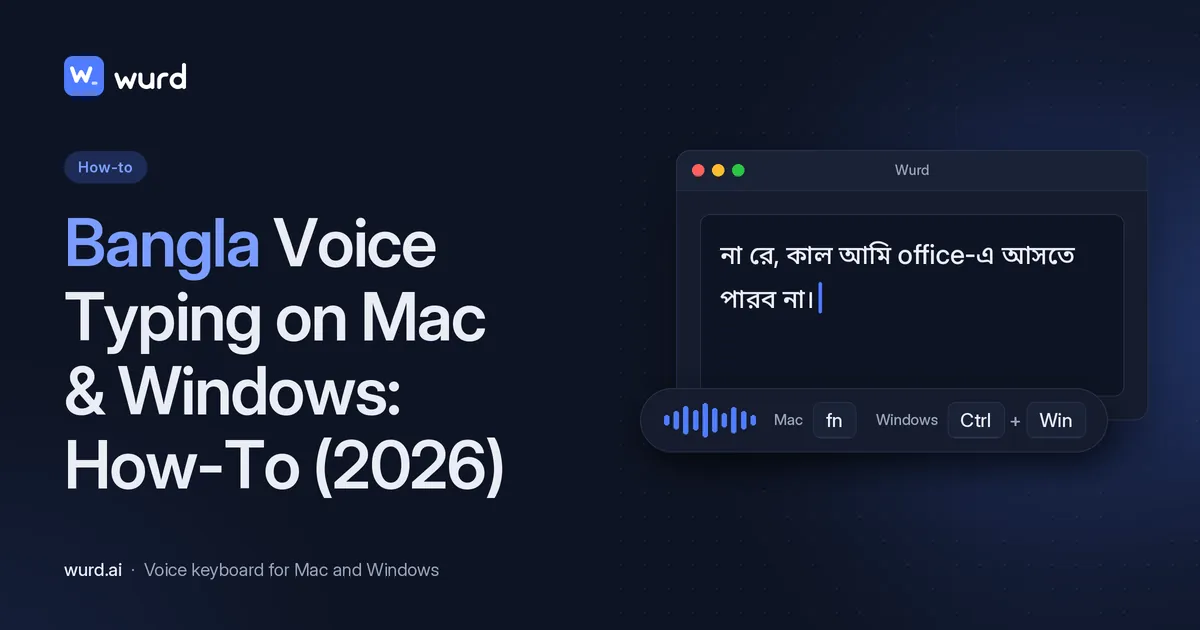
The mixed-script result for this sentence is the one in How to type Bangla by voice:
umm na re, kal ami office e ashte parbo na. boss ke bolish meeting ta char tay korte
Wurd writes:
না রে, কাল আমি office-এ আসতে পারব না। Boss-কে বলিস meeting-টা চারটায় করতে।
Choose everything in Bangla script and a shorter example from that guide, “আমি office-এ যাব”, becomes “আমি অফিসে যাব”.
[CAPTURE NEEDED: the long Banglish sentence above written entirely in Bangla script, from a real dictation.]

Want English instead?
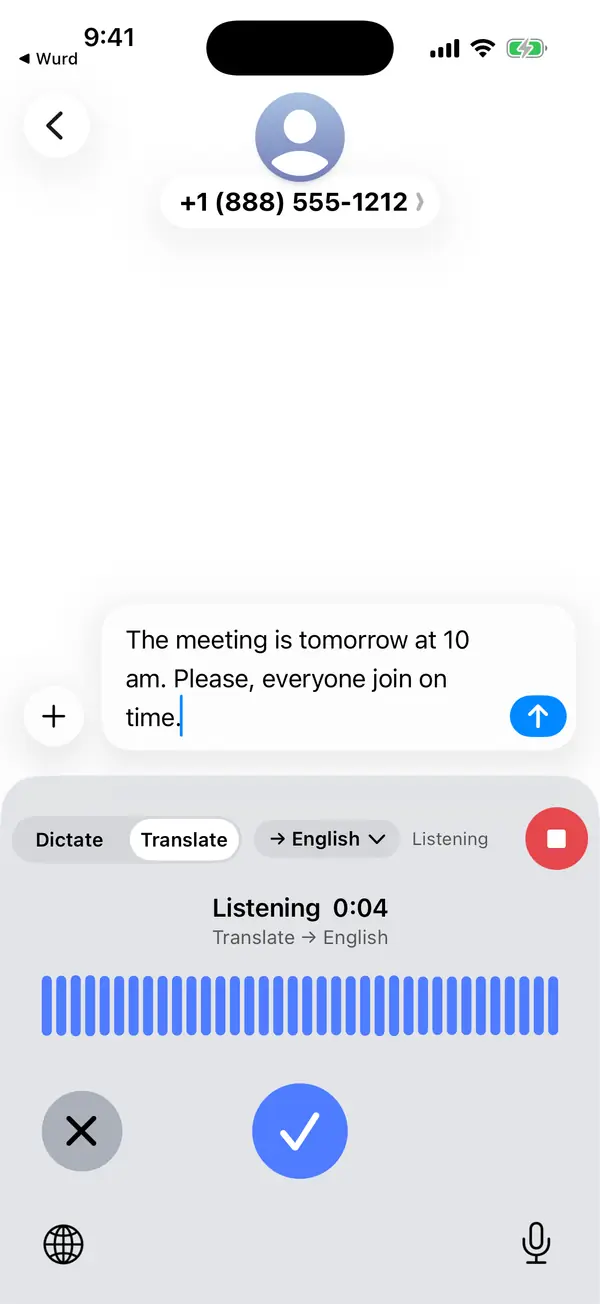
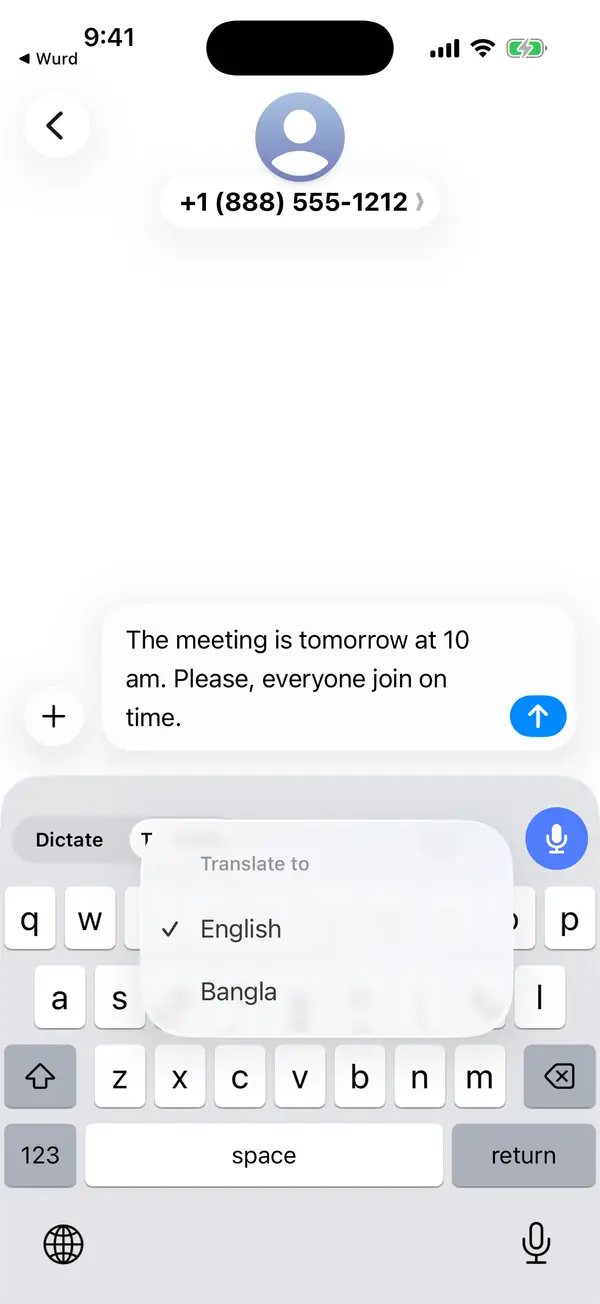
On a Mac, set English as your output language once in the app. Then hold fn + ⌃, speak in Bangla and let go. Wurd pastes the text translated into English, written naturally rather than word for word. Translate works from any language, and Bangla is just one example. Apple's built-in Translate doesn't cover this: its System-Wide Translation list doesn't include Bangla (Apple macOS Feature Availability, checked 28 Oct 2026). Wurd's site documents Windows dictation as hold Ctrl + Win, and it doesn't publish a Windows shortcut for Translate. See how to translate your voice to English.
Fallback: type Bangla with a keyboard layout
Mac: you can add a Bangla keyboard for Mac as an input source (Apple Support: Write in another language on Mac, checked 28 Oct 2026):
- Choose Apple menu > System Settings, then click Keyboard in the sidebar.
- Go to Text Input, then click Edit.
- Click the add (+) button, search for Bangla and pick a layout. Apple lists Bangla (InScript), Bangla (QWERTY) and Bangla (Transliteration) (Apple macOS Feature Availability, checked 28 Oct 2026).
- Click Add, then choose Bangla from the Input menu in the menu bar.
On macOS 12, the path is Apple menu > System Preferences > Keyboard > Input Sources, then the Add (+) button (Apple macOS 12 guide, checked 28 Oct 2026).
What you should see: an Input menu in the menu bar. To see where each letter sits on the Mac Bangla keyboard, choose Show Keyboard Viewer from the Input menu.
Windows: Microsoft's keyboard list includes Bangla and Bangla - INSCRIPT layouts (Microsoft Learn: Windows keyboard layouts, checked 28 Oct 2026). On Windows 11, go to Start > Settings > Time & language > Language & region. Select the ellipses next to your display language, then Language options, then Add a keyboard. On Windows 10, go to Start > Settings > Time & language > Language, select your display language under Preferred languages, then Options > Add a keyboard. If Bangla isn't listed, Microsoft says to install the Bangla language with Add a language, then add the keyboard under it. Switch layouts with Windows logo key + Spacebar (Microsoft Support: Manage the language and keyboard/input layout settings in Windows, checked 28 Oct 2026). This gives you typing, not voice typing.
[CAPTURE NEEDED: Mac Text Input > Edit with the Bangla input sources, and Windows Language options > Add a keyboard.]
Tips for better Bangla voice typing
- Add names and brands to your dictionary. Wurd listens for the names, places, brands and jargon you add and spells them your way. The Free plan holds 100 words, and the planned Pro plan holds 2,000. Paid plans aren't open yet, and limits may change before launch.
- Say numbers your way. Wurd checks every number. Prices, phone numbers, dates and order IDs are compared with what you said, in any script's digits. If one doesn't match, you get your own words back with a warning, never a wrong figure.
- Re-read important text. Wurd can mishear words, so check anything that matters before you send it.
Troubleshooting
- Nothing is typed on a Mac. Check that you allowed both Microphone and Accessibility (see the paths above). Wurd needs both on a Mac.
- English words come out in English letters. Wurd keeps each word in the language you said it in. If you want Bangla letters throughout, you can choose to write everything in Bangla script.
- No internet. Wurd needs a connection. If it drops, your recording stays on your device, and you can press Retry without speaking again.
- Wurd wrote nothing. If Wurd can't make out what you said, it writes nothing and tells you why. Try again somewhere quieter.
FAQ
Does Mac Dictation or Windows voice typing support Bangla?
No. Bengali isn't on Apple's Dictation list or on Microsoft's voice typing list (both checked 28 Oct 2026).
Is there a free way to do Bangla voice typing on a laptop?
Wurd's free plan gives you 2,000 words a week in any app on Mac or Windows, and every new account starts with 14 days of Pro with no card needed. Pro is planned at $12/month, but paid plans aren't open yet and prices may change before launch. Google Docs voice typing, which lists Bengali, is another option, but it works only in Docs.
Can I voice type Bangla in Facebook, Gmail or Word on my computer?
Yes. Wurd types anywhere you can paste, for example Facebook or Gmail in your browser, or a Word document. If an app can't take the text, Wurd copies it and tells you.
Can I speak Banglish and get Bangla script?
Yes. For Bangla, you can choose to write everything in Bangla script.
Can I speak Bangla and get English?
Yes, on a Mac. Set English as your output language once in the app, then hold fn + Ctrl to use Wurd Translate.
Does Bangla voice typing work offline?
Not with Wurd, which needs an internet connection.
Is there Bangla voice typing on my phone with Wurd?
Wurd's iPhone and Android apps are in private beta. Wurd is available on Mac and Windows.
Is my voice stored?
Wurd never stores your audio, and your history stays on your device (cloud history is off unless you turn it on). See the privacy policy and the Wurd FAQ.
Most people speak about three times faster than they type. Get Wurd for Mac and Windows, hold the key and say your next message in Bangla. Wurd is in beta, and you can start on Wurd's free plan. Pro is planned at $12/month, but paid plans aren't open yet and prices may change before launch.
Keep reading
- Guides
- Mac
- Windows
How to Dictate in Spanish, Hindi or Arabic on Mac & PC
Dictate in Spanish, Hindi or Arabic on Mac or Windows: built-in dictation settings step by step, which languages each supports, and a dictation app option.
10 min read
- Guides
- Bangla
- Translate
- Mac
How to type Bangla by voice on Mac, Windows and your phone
Speak Bangla, Banglish or English and get clean text in any app, or speak Bangla and get English: setup and tips for Mac, Windows, iPhone and Android.
5 min read