- Guides
- Translate
- Productivity
Multilingual Speech to Text: Dictate in Mixed Languages
Switch languages mid-sentence and keep each word in its language: how Wurd handles mixed-language dictation on Mac and Windows, with examples.
8 min read
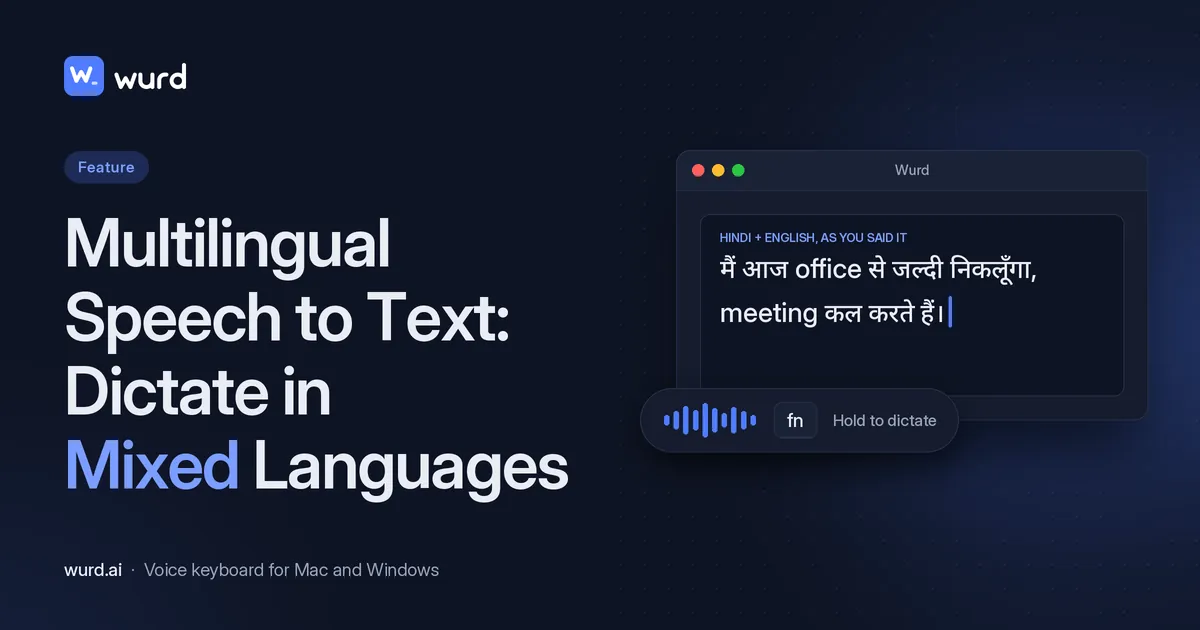
Plenty of people don't speak one language at a time. A Spanish sentence picks up English words; a Hindi message ends in English; an Arabic speaker drops into French. That's hard to get right if your voice typing expects one language at a time.
This guide covers what multilingual speech to text should do with mixed-language speech, and how Wurd, the voice keyboard for every language, handles it, using four common mixes as examples.
Why mixing languages trips up single-language dictation
What code-switching is
Switching between languages in one conversation, or one sentence, is called code-switching. It's very common for bilingual speakers, at home, with friends and at work. Some mixes are common enough to have names, like Spanglish, Hinglish and Banglish.
Typical problems
If your voice typing is set to one language, words from the other one have to fit somewhere. Typical problems:
- words from the second language written in the wrong script, or spelled as sound-alike words from the first
- whole phrases dropped
- having to stop and switch languages in settings
How Wurd handles mixed-language speech
Wurd is built to dictate in any language. In the site's words: "Switch languages in the middle of a sentence, the way people really talk. Wurd keeps each word in the language you said it in…"
You don't tell Wurd which language you're speaking. It recognises the language by itself, including when it changes mid-sentence, so you don't have to change a language setting mid-message. You use Dictate mode for this: it writes what you said, in the languages you said it in.
Script choice
For Bangla, you can also choose to write everything in Bangla script, which is the spoken route from Banglish to Bangla. That's the only script option the site describes.
Common language mixes, with examples
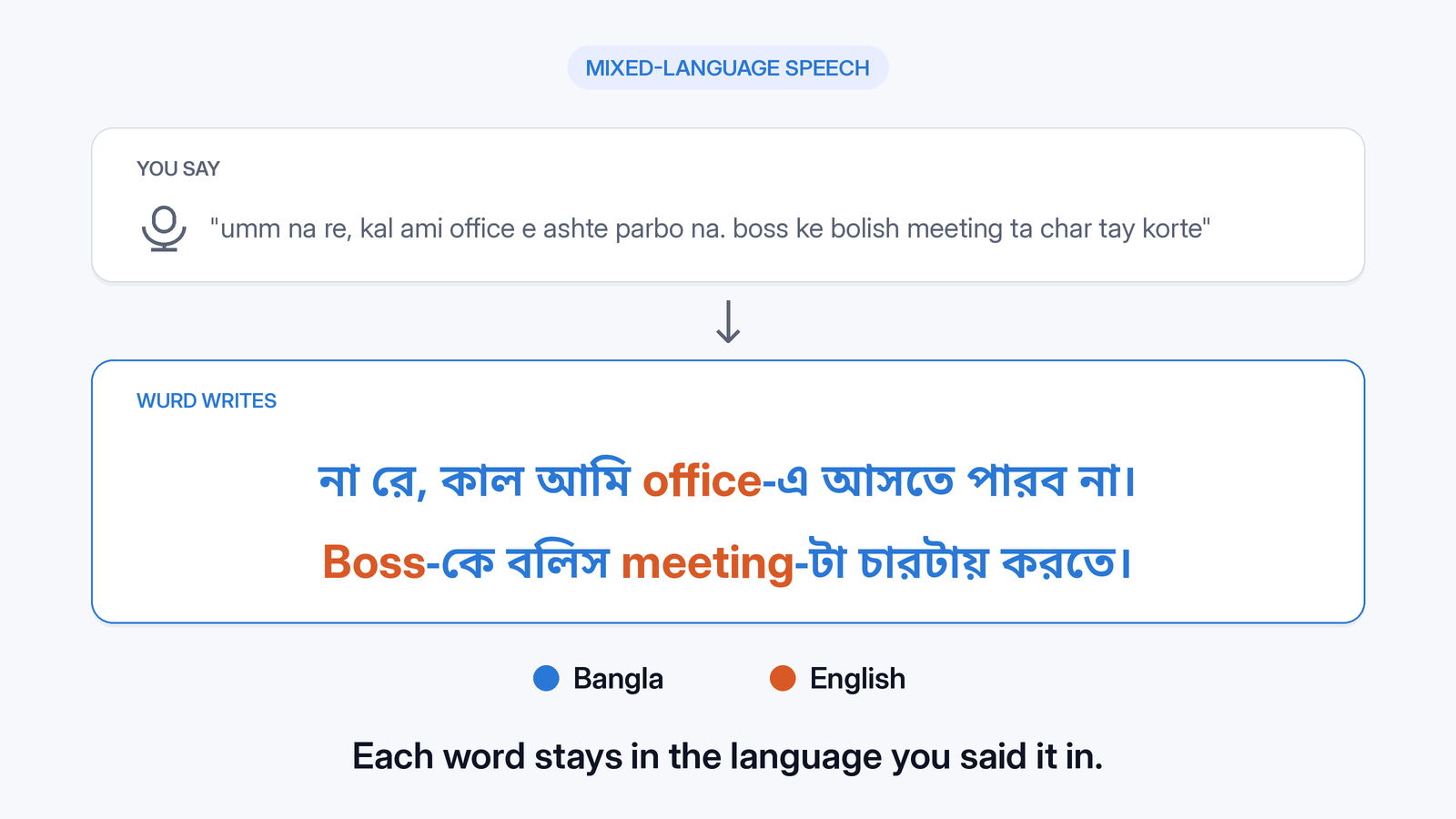
The Wurd site lists all four language pairs (Spanish, Hindi or Bangla with English, and Arabic with French) among the mixes it handles. The Banglish output below is the one already in How to type Bangla by voice. The other three outputs still need a real capture. Each example follows the same pattern: what the mix is, something you might say, and what Wurd writes.
Spanglish (Spanish + English)
Spanglish is the everyday mix of Spanish and English, common wherever the two languages live side by side. People often switch for a single word or phrase, a "lunch" or a "meeting", and then carry on in the other language. Those are exactly the words a single-language setting has to guess at.
You don't pick one language first: Spanish words stay Spanish, English words stay English, and the filler goes:
| Example input (illustrative) | Wurd writes (Dictate) |
|---|---|
| "Um, oye, I'll call you después del lunch." | [CAPTURE NEEDED: real Wurd output for Spanglish] |
People searching for a "Spanglish translator" usually want the mix turned into one clean language at the end. Wurd works on what you say, not on text you've already typed. To get one language as you speak, use Translate (hold fn + Control on a Mac) and pick English or Spanish as the output.
Hinglish (Hindi + English)
Hinglish is Hindi mixed with English, and it's how a lot of people text, talk to colleagues and leave notes for themselves. Work words like "meeting", "deadline" or "cancel" often stay in English.
That's the hard part for Hinglish speech to text: with a single-language setting, English terms can get forced into Hindi, or the other way round. With Wurd, Hindi and English each come out as you said them, minus the "umm":
| Example input (illustrative) | Wurd writes (Dictate) |
|---|---|
| "Umm yaar, aaj ka meeting cancel ho gaya, I'll call you later." | [CAPTURE NEEDED: real Wurd output for Hinglish] |
Searches like "Hinglish to English" and "Hinglish translator" are mostly about converting text you've already typed. Wurd works on what you say. For English output, use Translate (hold fn + Control on a Mac).
Banglish (Bangla + English)
Banglish is Bangla mixed with English, in speech and in romanised typing. Like Hinglish, it often keeps everyday work words such as "office", "boss" and "meeting" in English. With a single-language setting, those English words have to fit into Bangla, or the Bangla into English.
With Wurd, you speak the mix as it comes and the filler drops out:
| You say (example from the wurd.ai homepage) | Wurd writes (Dictate) |
|---|---|
| "umm na re, kal ami office e ashte parbo na. boss ke bolish meeting ta char tay korte" | না রে, কাল আমি office-এ আসতে পারব না। Boss-কে বলিস meeting-টা চারটায় করতে। |
People searching "Banglish to English" usually want one clean language at the end of the message. Wurd works on what you say, not on text you've already typed. For English output, use Translate (hold fn + Control on a Mac).
Arabic + French
Arabic mixed with French is common across North Africa and among speakers who grew up with both. Many speakers switch for a single phrase, a greeting or a reminder, then carry on in the other language. It's a mix of two scripts as well as two languages, written in opposite directions, so a single-language setting has a lot to guess at.
There's no keyboard or setting to switch halfway through. French and Arabic each stay as you said them, and the "euh" goes:
| Example input (illustrative) | Wurd writes (Dictate) |
|---|---|
| "Euh, le rendez-vous est demain, لا تنسَ." | [CAPTURE NEEDED: real Wurd output for Arabic + French] |
If the message should go out entirely in French, Arabic or English, use Translate (hold fn + Control on a Mac) and pick that output.
These are examples; Wurd isn't limited to these mixes.

How to dictate in mixed languages (Mac and Windows)
Wurd for Mac and Windows works in any app where you can paste: email, chat, documents, browsers, code editors and terminals.
On Mac (macOS 12 or later), Wurd lives in the menu bar:
- Click where you want to type.
- Hold fn and speak, mixing languages however you normally would.
- Let go. The text is pasted where your cursor is, and your clipboard is put back the way it was.
For longer passages, press fn + Space once to start hands-free and again to finish.
On Windows (Windows 10 or 11), Wurd lives in the tray. Hold Ctrl + Win anywhere to dictate. The installer isn't code-signed, so the first time Windows may say "Windows protected your PC". Click More info, then Run anyway.
See how Wurd works on a Mac for the shortcuts at a glance.
Add names and jargon to your dictionary
Mixed-language speech is full of names, brands and terms. Add them to your dictionary (100 words on Free, 2,000 on Pro) and Wurd listens for them and spells them your way.
Guardrails that matter more in two languages
Mixed sentences give a tool more chances to "help" in ways you didn't ask for. Wurd has four guardrails built in:
- It never adds words. It takes out the ums, keeps your "no, I mean…" corrections and fixes punctuation. It doesn't add greetings, sign-offs or ideas you didn't say.
- It checks every number. Prices, phone numbers, dates and order IDs are compared with what you said, "in any script's digits." If one doesn't match, you get your own words back with a warning, never a wrong figure.
- It writes nothing if it can't make out what you said, and tells you why, rather than guessing.
- It writes, it doesn't answer. Dictate a question and you get the question, not a reply.
In a mixed sentence, that means each word stays in the language you said it in, and every figure is checked whatever script its digits are in.
Want the whole thing in one language? Use Translate
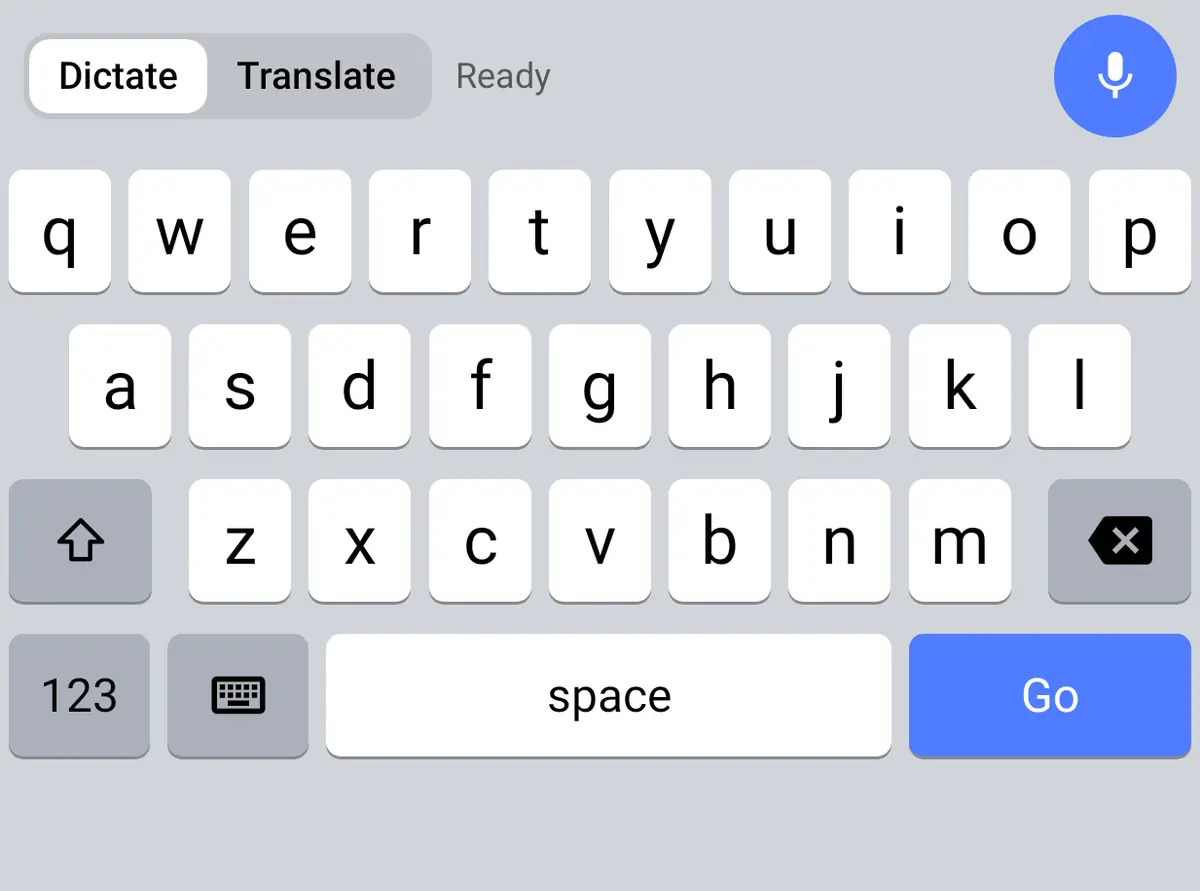
Sometimes you want to speak the mix but send one language. That's Wurd's Translate mode: on a Mac, hold fn + ⌃ (Control), speak however you like, and let go. The text comes out in the output language you picked, written naturally rather than word for word. Wurd is built to translate from any language into English, or from any language into another. Wurd's site documents Windows dictation as hold Ctrl + Win, and it doesn't publish a Windows shortcut for Translate.
Limits and honest notes
- No published language list or count. If you rely on a less common mix, test it during your free trial.
- Wurd is in beta and needs an internet connection; there's no offline mode. If the connection drops, your recording stays on your device until the text arrives (24 hours at most), and you can press Retry without speaking again.
- It can make mistakes. Wurd's Terms say it "can mishear words, mistranslate, or punctuate wrongly." Read important messages before you send them.
- Phones: the iPhone and Android apps are in private beta and aren't in the App Store or Google Play.
Wurd never stores your audio. Read what happens to your voice.
Wurd's free plan includes Dictate and Translate, with 2,000 words a week. Every new account starts with 14 days of Pro, up to 30,000 words, no card needed. Paid plans aren't open, and nobody is charged. Pro is planned at $12 a month, and that price may change before launch.
FAQ
Is there speech to text for multiple languages?
Yes. Wurd is multilingual speech to text: it recognises the language you speak and writes it back in that language, even when you switch mid-sentence, on Mac and Windows.
Can speech to text handle two languages in one sentence?
Wurd can. It keeps each word in the language you said it in, so a mixed sentence stays mixed instead of being forced into one language.
Do I need to tell Wurd which language I'm speaking?
No. It recognises the language by itself.
Which languages does Wurd support?
Wurd is built to dictate in any language. It doesn't publish a list or count. The site gives examples such as Bangla or Hindi with English, Spanish with English, and Arabic with French. More in which languages Wurd understands.
Can I dictate in Spanglish, Hinglish, Banglish, or Arabic and French?
Yes. Use Dictate mode on Mac (hold fn) or Windows (hold Ctrl + Win) and speak the mix as you normally would.
Can I get everything in one language instead?
Yes, on a Mac. Hold fn + ⌃ for Translate mode and Wurd writes your message in the output language you picked. The Translate shortcut Wurd's site publishes is on a Mac.
Does it work on Android or iPhone?
No. Wurd is available on Mac and Windows. The iPhone and Android apps are in private beta.
Keep reading
- Guides
- Translate
- Productivity
Dictation for Non-Native English Speakers and Global Teams
Think in one language, write in another. How multilingual teams and non-native English speakers use voice dictation to write clear messages faster.
7 min read
- Translate
- Guides
Best Voice Translator Apps (2026): Speak, Translate, Type
Compare the best voice translator apps for conversations and for typing. See which tools turn your speech into translated text, and where Wurd fits on Mac.
11 min read