- Translate
- Guides
Best Voice Translator Apps (2026): Speak, Translate, Type
Compare the best voice translator apps for conversations and for typing. See which tools turn your speech into translated text, and where Wurd fits on Mac.
11 min read
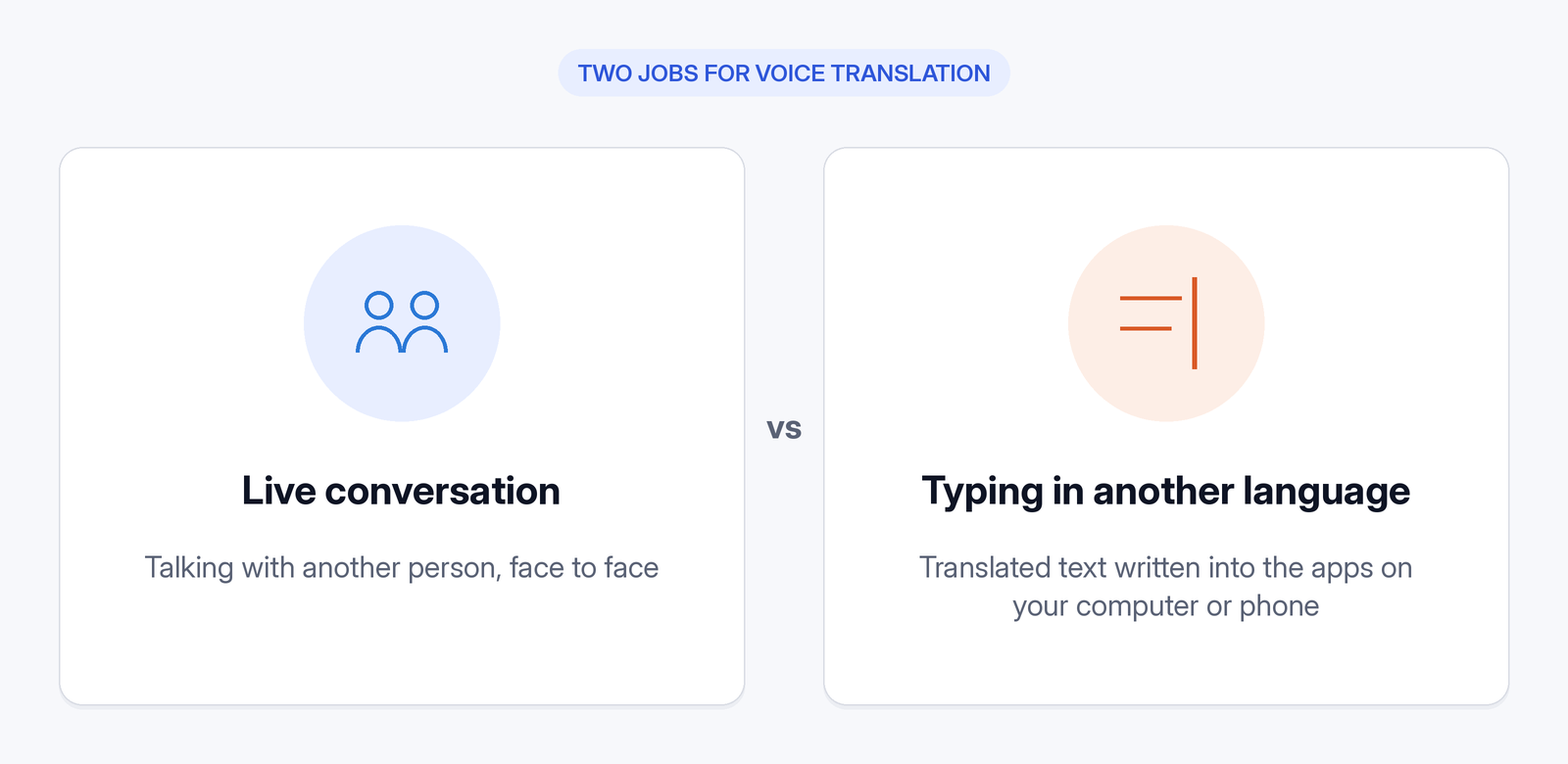
The best voice translator app depends on what you're doing. Talking with someone face to face is a different job from joining a meeting in another language, and both differ from writing an email in a language you don't type well. So rather than crowning one best translation app, we've organised this guide by use case.
How we picked
Disclosure: Wurd is made by 6amTech, the publisher of this blog. Wurd is in beta and needs an internet connection; there's no offline mode. We review it in one section, for typing translated text on a Mac, and include it in the table and summaries for comparison. We haven't listed it as a conversation app, because it isn't one.
For each tool we looked at:
- Languages, as stated on official pages.
- Use: live conversation, meetings, or typing translated text into other apps.
- Platforms available.
- Offline support.
- Free tier and price.
- Privacy, from official pages only.
Every fact about another product comes from its official website, help pages or official app-store listing (see Sources). We compared each piece of voice translation software on official facts only, and we don't score translation accuracy. Accuracy depends on the language pair, your accent and the topic, so try a few sentences you actually need.
Quick comparison table
| App | Best for | Platforms | Conversation mode | Types translated text into other apps | Free tier | Notes |
|---|---|---|---|---|---|---|
| Google Translate | Travel, everyday conversations | Android, iPhone, web | Yes (70 languages on Android) | No (Tap to Translate shows translations of copied text) | Free | Offline in 59 languages (Android) |
| Microsoft Translator | Free speech and text translation | Android, iOS | Real-time speech; split-screen conversations | Not stated | Free | 100+ languages |
| DeepL Voice | Business meetings, in-person conversations | iOS, Android, web; Teams, Zoom, Meet | Yes | Not stated | Not stated | 40+ languages; pricing via sales |
| iTranslate | Travel with a phone or Apple Watch | iPhone, iPad, Apple Watch, Mac, Android, web | Voice conversations (Pro) | Keyboard extension | Free text translation | Offline 40+ languages (Pro) |
| Apple Live Translation | Messages, FaceTime and Phone on Mac | Mac with Apple Intelligence | Captions and spoken call translation | Not stated | Included with Apple Intelligence; price not stated | Language support varies |
| Wurd | Speaking translated text into any app where you can paste | Mac and Windows available; iPhone and Android in private beta | No | Yes on Mac (fn + ⌃); no Windows Translate shortcut is published | Free plan includes Translate | Beta; needs internet; Windows app not code-signed (SmartScreen warning) |
| Gboard | Typed translation on a phone | Android, iPhone | No | Yes (typed text) | Free (iPhone); Android not stated | Steps describe typed input |
Best for live conversations
Google Translate
Google Translate's Android app listing says you can "Translate between 108 languages by typing", and lists "Conversations: Translate bilingual conversations on the fly (70 languages)", "Offline: Translate with no internet connection (59 languages)" and "Transcribe: Continuously translate someone speaking a different language in near real-time (8 languages)" (Google Play listing). Its iPhone listing says "Translate between up to 249 languages" and "Feature support varies by language", and shows the app as free (App Store listing). On Android, live translate offers Listening, Conversation and Text only modes, plus a Face to face mode, and "The microphone automatically detects when one language stops and the other language starts". Offline live translate is only for Pixel 9, 10 and 11 users, for certain language pairs (Live translate help). On the web, "You can't talk and translate at the same time", so use the app (web help).
Best for: free, wide-language travel and everyday conversations.
Microsoft Translator
Microsoft Translator says it can "Translate text, speech, and images in over 100 languages — for free", with real-time speech translation (Google Play listing). Microsoft's app pages offer downloads for Android and iOS. Microsoft's features page describes split-screen translation, "Speak two languages into one microphone for one-on-one conversations", and offline language packs for text (Translator app features).
The two official sources disagree on group conversations. The Google Play listing says "The multi-device conversation feature has been retired", while Microsoft's features page still promotes a "Multi-device conversation feature" to "Translate and caption live conversations". Check the app before relying on it.
Best for: free speech and text translation, and split-screen two-person conversations on one phone.
DeepL Voice
DeepL pitches Voice at businesses, as "instant, secure voice translation for global teams". It offers real-time translation in online meetings, with "live translated subtitles across Microsoft Teams, Zoom Meetings, and Google Meet", and in in-person conversations, with "on-device speech translation", available "on iOS, Android, and on the web". It covers "40+ languages". DeepL says it "never uses your data to train our language models" and holds ISO/IEC 27001 and SOC 2 Type 2 certifications (DeepL Voice). The Voice page doesn't list a price; it points to pricing and sales.
Best for: companies that need meeting and in-person translation with enterprise security.
iTranslate
iTranslate covers text, voice, conversation and camera translation in over 100 languages. Text translation is free. Voice-to-voice conversation translation, photo translation and offline mode ("over 40 languages") are listed as Pro features, and "an internet connection is required" except with offline packs (Google Play listing). Its site lists iPhone and iPad apps, an Apple Watch app, Mac, Android and web versions, and a keyboard extension for messaging apps (iTranslate). The Pro price isn't stated on the pages we checked.
Best for: travellers who want Apple Watch and keyboard-extension support.
Apple Live Translation (Mac)
On a Mac with Apple Intelligence, "you can automatically translate messages in the Messages app, display live translated captions in FaceTime, and get spoken translations for calls in the Phone app". Apple notes that "Apple Intelligence on macOS 27 is not available in all languages or regions" (Apple Support). Apple lists Apple Intelligence for "Mac models with M1 and later", and lists the supported languages for Live Translation in Messages and for Live Translation in Phone and FaceTime (macOS feature availability).
Best for: Mac users who mainly need translation inside Apple's own communication apps.
Best for typing in another language on your computer
Conversation apps translate what's said between people. A different need is writing, and for that, the best speech to text translator is one that types for you: you want to speak in your own language and have translated text appear in an email, a chat or a document.
Wurd: speak, and translated text appears where your cursor is
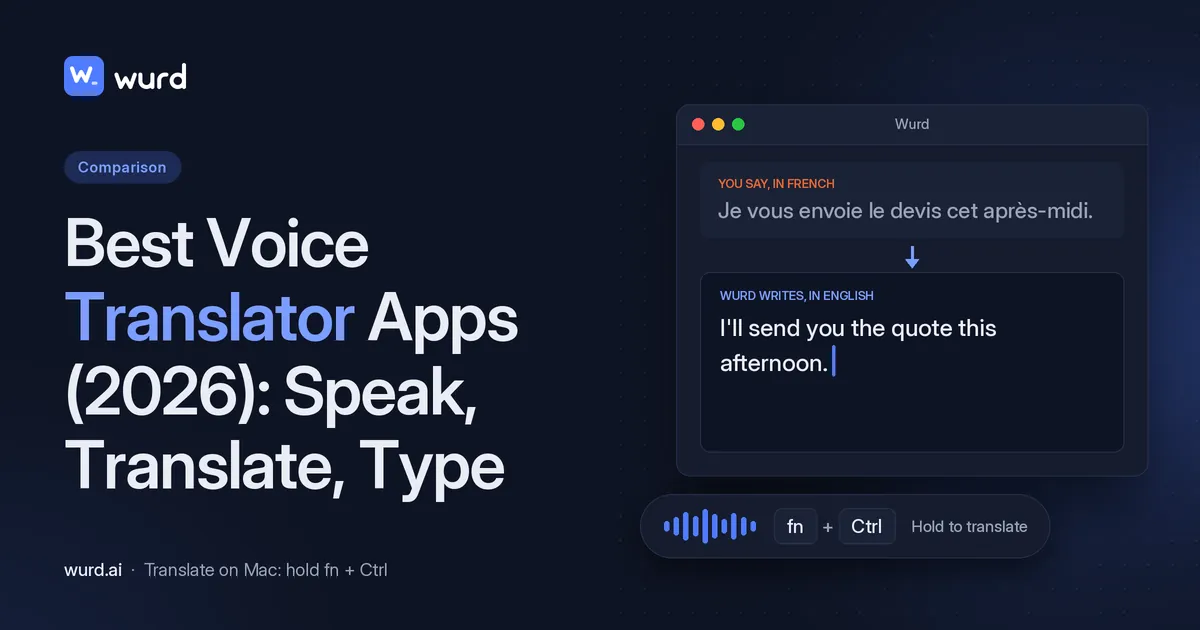
Wurd voice keyboard has a Translate mode on Mac. Hold fn + ⌃ (fn + Control), speak in any language, and let go. Wurd pastes the text, translated into the language you picked, into any app where you can paste. You can go from any language into English, or from any language into another. Someone could speak Spanish and send English, speak Hindi and send French, or speak Arabic, Chinese or Bangla and send English. "Say it in one language, send it in another, in the same step."
- Natural, not literal. The translation is "written naturally rather than word for word", with no translator tab and no copy and paste.
- It never adds words. It doesn't add greetings, sign-offs or ideas you didn't say.
- It checks every number. Prices, dates, phone numbers and order IDs are compared with what you said. If one doesn't match, you get your own words back with a warning.
- On a Mac, hold fn + Control to translate. Wurd's site documents Windows dictation as hold Ctrl + Win, and it doesn't publish a Windows shortcut for Translate. The Windows app isn't code-signed, so Windows shows a SmartScreen warning when you install it. If you see "Windows protected your PC", click More info, then Run anyway. The iPhone and Android apps are in private beta and not in the app stores.
- Works in any app where you can paste. Email, chat, documents, browsers, code editors and terminals.
- In beta. Wurd is in beta, so features may change. The Mac and Windows apps are free to download, and paid plans aren't open.
- Needs internet. There's no offline mode.
See how Wurd's Translate mode works and Wurd for Mac. Try your own language pair on the free plan, which includes Translate.
Best for: people who write in a second language every day, such as replying to clients, colleagues or family.
Other ways to type translated text: translation keyboards and OS tools
- macOS Translate: select text in an app, Control-click and choose Translate. Replace with Translation swaps your text for the translation. You can download languages for offline use, though "offline translations may be less accurate" (Apple Support: Translate text on Mac). It works on text you've already typed, not as you speak. macOS system-wide Translation has its own language list (macOS feature availability).
- Gboard (translator keyboard): on Android, open the features menu, tap Translate, pick the languages, type, and tap Select to insert the translation (Gboard Help). The steps describe typed input.
- iTranslate keyboard extension: translations "right in your favorite messaging app" (iTranslate).
- Google Translate's Tap to Translate: copy text in any app and tap the Translate icon (Play listing).
Best free voice translator apps
- Google Translate: free, with conversations in 70 languages and offline translation in 59 languages on Android.
- Microsoft Translator: free, with 100+ languages.
- iTranslate: free text translation. Voice conversation, photo translation and offline mode are Pro, and the Pro price isn't stated.
- Apple Live Translation: part of Apple Intelligence (no separate price stated), so you need a compatible Mac (Apple lists Mac models with M1 and later) and a supported language and region.
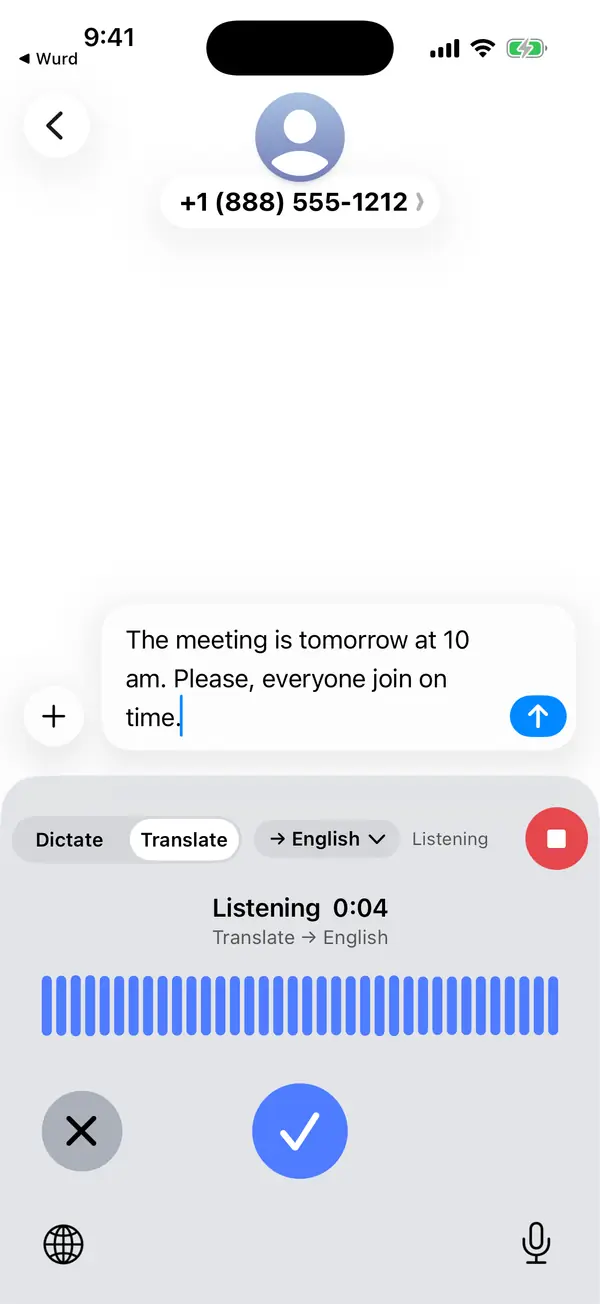
- Wurd: the free plan gives 2,000 words a week and includes Translate on Mac. Every new account starts with 14 days of Pro, up to 30,000 words. No card needed. Paid plans aren't open. Pro is planned at $12 a month, and prices may change.
Is there a better voice translator than Google Translate?
For many travellers, Google Translate is hard to beat on language range and price. It's free, has a long language list, and offers conversation and offline modes. "Better" depends on the job:
- For business meetings: DeepL Voice is built for Teams, Zoom and Google Meet, with enterprise security.
- For Apple Watch or an iPhone-first setup: iTranslate.
- For calls and messages on a Mac: Apple Live Translation.
- For writing translated text into any app where you can paste on a Mac: Wurd.
Voice translator devices vs apps
Dedicated pocket translator devices exist, but we haven't verified any device claims, so we won't name or rank them. A phone app is the cheapest place to start, because most of the apps above have free tiers. If you need translation where phones aren't practical, check the device maker's official specs for languages, offline packs and battery life.
Privacy: what happens to your voice?
Voice translation usually means your audio is processed by a speech service, either on your device or in the cloud. Before choosing, check:
- Is it on-device or in the cloud? DeepL describes on-device speech translation for in-person use (DeepL Voice). Apple offers an On-Device Mode for macOS Translate (Apple Support).
- Is your data used for training? DeepL says Voice never uses your data to train its models.
- What data is collected? On their Google Play data-safety pages, the developers of Google Translate, Microsoft Translator and iTranslate all say no data is shared with third parties and data is encrypted in transit. Each lists data the app may collect; for Microsoft Translator and iTranslate, that includes voice or sound recordings (optional). Google and iTranslate say you can request that data be deleted. Microsoft doesn't provide a way to request that data be deleted.
What about Wurd? Wurd never stores your audio. Wurd says: "We delete each transcript at our speech provider right after the dictation; the AI step runs only on zero-data-retention endpoints." Its speech-to-text provider is ElevenLabs. "Your history stays on your device. Cloud history is off unless you turn it on." And "nothing you say trains AI models at Wurd". Read how Wurd handles your voice and the privacy policy.
How to choose
- Talking face to face while travelling: Google Translate, or iTranslate (voice conversation is a Pro feature).
- Free speech translation: Google Translate (conversations in 70 languages) or Microsoft Translator (100+ languages).
- Meetings at work: DeepL Voice.
- Calls and messages on a Mac: Apple Live Translation.
- Writing emails or chats in another language on a Mac, by voice: Wurd Translate.
- Typing translated text on your phone: Gboard or the iTranslate keyboard.
FAQ
What is the best app for voice to text translation? For talking with someone, Google Translate is a strong free choice, with conversations in 70 languages on Android. For speaking and getting translated text into any app where you can paste on a Mac, try Wurd's Translate mode.
What is the best voice to text translator app? It depends on where the text needs to go. Google Translate and Microsoft Translator show translations in their own app or pop-up, which suits reading them. Wurd pastes translated text into any app where you can paste on a Mac, which suits writing.
Is there a better voice translator than Google Translate? For some jobs, yes. See the use-case breakdown above.
Can I speak one language and type in another on my computer? Yes, on a Mac with Wurd. Hold fn + ⌃, speak, and the translated text is pasted into any app where you can paste on a Mac. See the Wurd FAQ.
Does Wurd's Translate work on Windows? No. On a Mac, hold fn + Control to translate. Wurd's site documents Windows dictation as hold Ctrl + Win, and it doesn't publish a Windows shortcut for Translate. If Windows shows "Windows protected your PC" when you install, click More info, then Run anyway.
Which languages can Wurd translate? Wurd is built to translate from any language into English, or from any language into another. It doesn't publish a language list. Examples include English, Spanish, Arabic, Hindi, Chinese, French and Bangla, so try your pair on the free plan.
Is there a free voice translator app? Yes. Google Translate and Microsoft Translator are free, and iTranslate offers free text translation. Wurd's free plan includes Translate on Mac.
Do voice translator apps work offline? Some do. Google Translate has offline packs (59 languages on Android), Microsoft Translator has offline language packs for text, iTranslate Pro has offline mode, and macOS Translate can download languages. Wurd doesn't work offline. It needs an internet connection.
Keep reading
- Guides
- Translate
- Productivity
Dictation for Non-Native English Speakers and Global Teams
Think in one language, write in another. How multilingual teams and non-native English speakers use voice dictation to write clear messages faster.
7 min read
- Translate
- Guides
- Mac
How to Translate Your Voice to English Text (Mac Guide)
Speak in any language and get English text where you type. Step-by-step: translate your voice to English with Google Translate or in one step on a Mac.
8 min read