- Productivity
- Guides
Dictation vs typing: how Wurd counts the time you save
How Wurd works out time saved (your words typed at 40 words a minute, minus recording and waiting time), with worked examples you can check yourself.
4 min read

Is talking faster than typing? For you, the honest answer depends on three things: how fast you type, how fast you speak, and what you’re writing. Wurd measures the speaking side from your own dictations, compares it with a fixed typing speed, and shows the result in Stats, for Dictate and Translate separately.
This post explains how that number is worked out, with examples you can check on a calculator, and how to redo the sum with your own typing speed.
The formula
Time saved in Wurd is:
time to type the words at 40 words a minute − recording time − waiting time
Here is what each part means:
- The words are the words Wurd wrote, after fillers like “um” are dropped. In Translate, that’s the words of the translation.
- 40 words a minute is the typing speed Wurd uses for everyone. It’s a fixed reference, not a measurement of you, and the Stats screen says so under the figure: “vs typing at 40 wpm”.
- Recording time is the length of the recording Wurd receives.
- Waiting time is how long Wurd’s server takes to turn the recording into text and send it back.
The sum is added up over the week, the month or all time, and the total never goes below zero. A very short dictation can take a second or two longer than typing it would have, and that small difference comes off the total.

Worked examples
These examples only show the arithmetic. The recording and waiting times in them are made-up example values, not measurements. Stats does the same sum with your real ones.
| Example | Words | Typing at 40 wpm | Recording (example) | Waiting (example) | Time saved |
|---|---|---|---|---|---|
| An email | 200 | 5 min | 2 min | 5 s | 2 min 55 s |
| A chat message | 50 | 1 min 15 s | 25 s | 3 s | 47 s |
| A quick reply | 8 | 12 s | 4 s | 3 s | 5 s |
| “OK, thanks” | 2 | 3 s | 2 s | 3 s | −2 s |
The typing column is plain division: 200 words ÷ 40 words a minute = 5 minutes. Then subtract the recording and the wait: 5 min − 2 min − 5 s = 2 min 55 s.
If you dictated one of each in a week, your weekly time saved would be 2 min 55 s + 47 s + 5 s − 2 s = 3 min 45 s. The pattern is the useful part: longer pieces save more, and one- or two-word replies roughly break even.
Your speaking speed
Stats also shows your speaking speed in words per minute: the words you said, divided by the minutes from your first word to your last. Silence before you start and after you finish doesn’t count against you. It appears once you’ve spoken for at least 10 seconds in the period, so a single “OK” can’t produce a misleading number.
Speaking speed and time saved measure different things. Speaking speed is how fast you talk. Time saved also counts the whole recording and the wait, because that’s the time you actually spend.
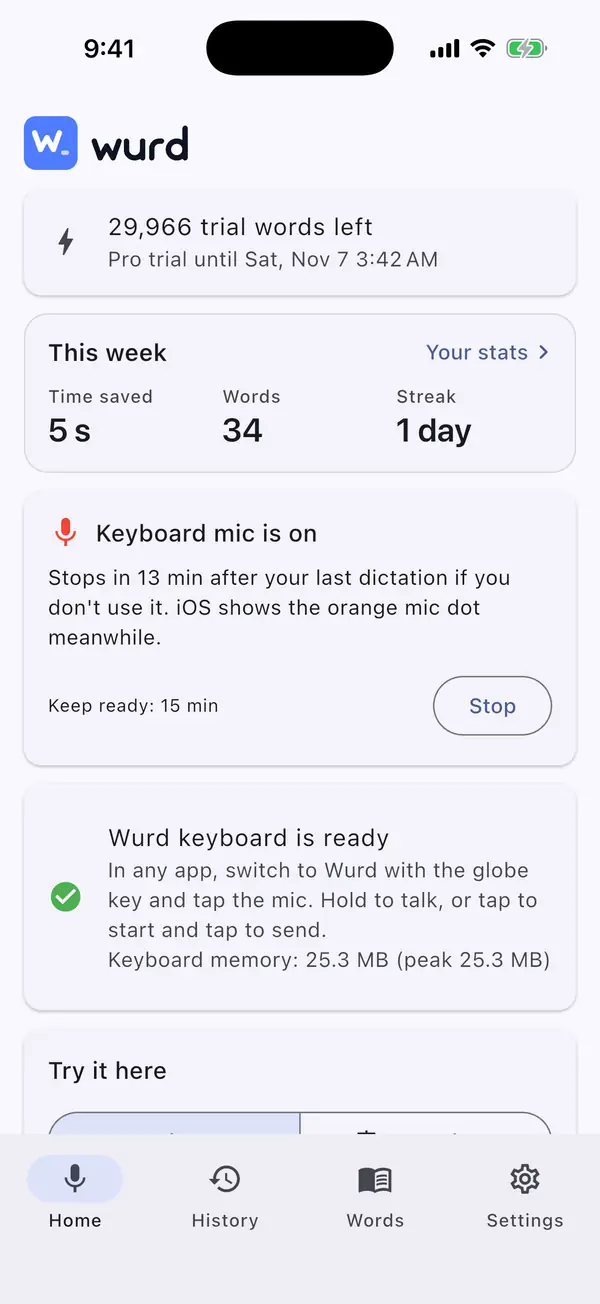
Both are on the stats screen in every Wurd app and in the web portal under Your stats. The Home screen also shows this week’s time saved at a glance.
Redo the sum with your own typing speed
Forty words a minute is a reference point, and you may type faster or slower. To find your own speed:
- Open a blank note and set a timer for one minute.
- Type something you’d normally write, like a short email, and fix typos as you usually would.
- Count the words. That’s your words per minute.
Then put your number into the same sum: words ÷ your typing speed − recording time − waiting time.
Take the 200-word email again, with the same example recording of 2 minutes and wait of 5 seconds:
| If you type at | Typing 200 words takes | Time saved |
|---|---|---|
| 30 words a minute | 6 min 40 s | 4 min 35 s |
| 40 words a minute | 5 min | 2 min 55 s |
| 60 words a minute | 3 min 20 s | 1 min 15 s |
The faster you type, the smaller your real saving. If you type well above 40 words a minute, read the figure in Stats as an upper estimate.
What the number leaves out
It’s a simple sum on purpose, so some things aren’t in it, on either side:
- Fixing typos after typing, or fixing a word after dictating.
- Re-reading what you wrote before you send it.
- Thinking about what to say before you start.
- Translating. In Translate, the sum compares typing the translated words with speaking them. It doesn’t add the time you’d spend translating on your own or in a separate translator.
When typing is still the better tool
- Very short replies, where speaking and typing take about the same time.
- Changing one word in something you’ve already written.
- Places where you can’t talk out loud, like a quiet office or a meeting.
- Passwords. On Android the Wurd keyboard turns the mic off in password fields, and on iPhone the system keyboard takes over there.
Getting more from each dictation
- Say a whole thought at once. As the examples show, longer dictations save more than short ones.
- Correct yourself out loud. Say “no, I mean…” and Wurd keeps only the final version, so you don’t have to start over. “The total is 4,200, no, sorry, 4,520 dollars” becomes “The total is $4,520.”
- Add names and terms to your dictionary, so you don’t fix them by hand afterwards.
- Use snippets for text you repeat. Say a short trigger such as “my address” and Wurd puts in the full text you saved.
- Use Translate instead of writing first and translating after, if you write in two languages.
Keep reading
- Guides
- Translate
- Productivity
Dictation for Non-Native English Speakers and Global Teams
Think in one language, write in another. How multilingual teams and non-native English speakers use voice dictation to write clear messages faster.
7 min read
- Guides
- Translate
- Productivity
Multilingual Speech to Text: Dictate in Mixed Languages
Switch languages mid-sentence and keep each word in its language: how Wurd handles mixed-language dictation on Mac and Windows, with examples.
8 min read