- Guides
- Productivity
Wispr Flow Alternatives (2026): Wurd and Others Compared
Looking for a Wispr Flow alternative? Compare Wurd and other dictation apps on languages, translation, platforms, privacy and price. Checked Oct 2026.
14 min read
Disclosure: Wurd is made by 6amTech, the publisher of this blog. We've tried to keep this comparison fair. Every fact about another app comes from that company's own website or help pages, linked where it's used, and all were checked on 28 Oct 2026. Prices and features change, so check the official pages before you buy.
Wispr Flow is one of the best-known AI dictation apps: hold a key, speak, and clean text appears in any app. It's a strong product, but there are good Wispr Flow alternatives if you need a different price, local processing, a one-time licence, or a way to speak in one language and send text in another.
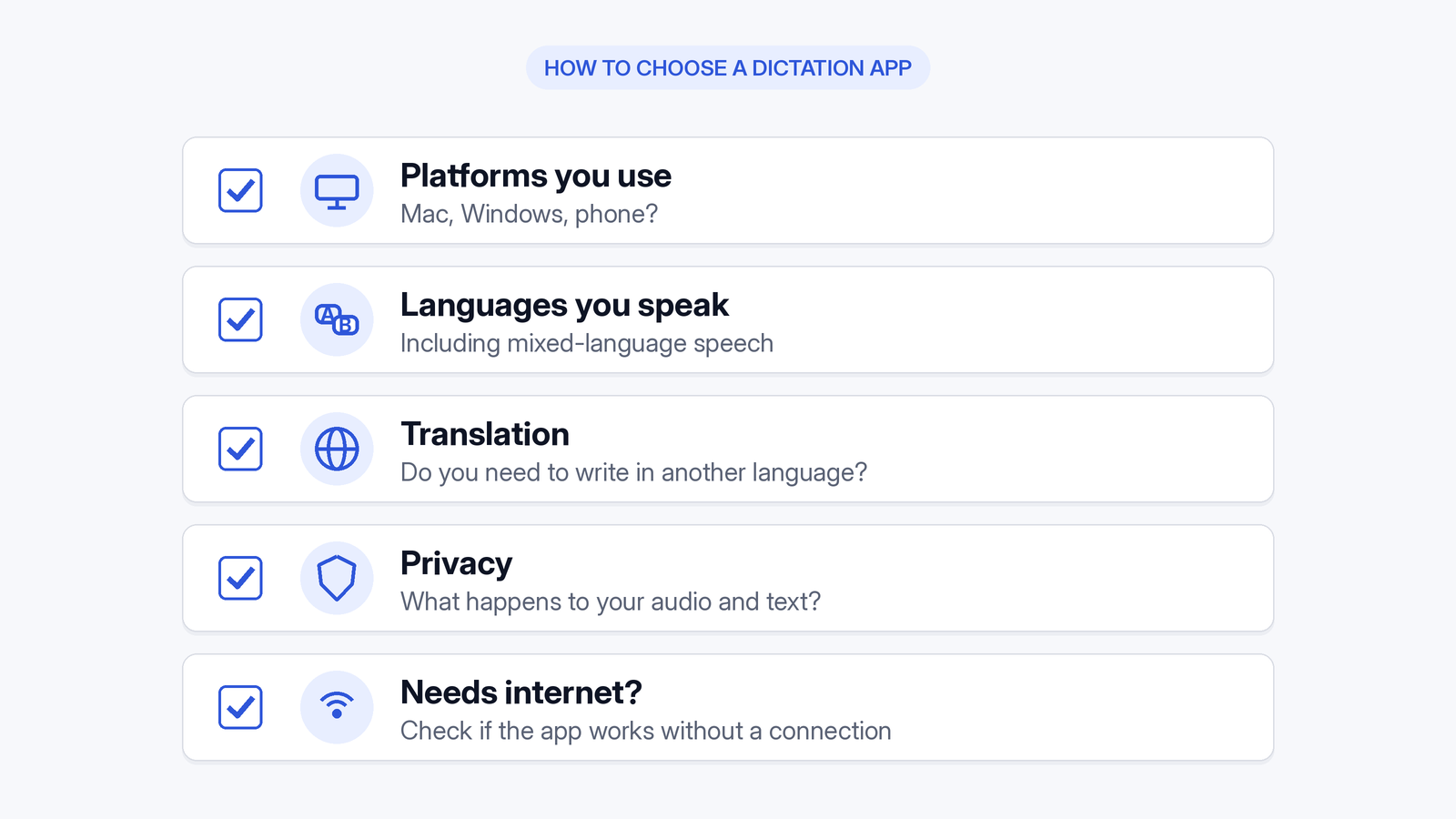
How we compared them. For each app we looked at: platforms available, the free plan, paid price, languages and translation, privacy and processing, and who it suits best. We don't rank apps on accuracy: it depends on your voice, microphone and vocabulary, so the fair test is your own.
Why people look for a Wispr Flow alternative
- Price. Wispr Flow's free plan includes 2,000 words a week on desktop. Pro costs $15 per user per month billed monthly, or $12 billed annually (Wispr Flow pricing).
- Offline or local processing. Wispr Flow says "Transcription always occurs on the cloud" (Wispr Flow Data Controls).
- Mixing languages. Wispr Flow supports 100+ languages, but it "detects one language per dictation, not per word", and some languages have to be selected by hand (Wispr Flow help: multiple languages).
- Translation. Some people want to speak in one language and paste text in another. We didn't find a speak-to-translate mode on Wispr Flow's official pages ("not stated" below).
- Platform. Wispr Flow says "Windows on ARM and Snapdragon are unsupported" (Wispr Flow system requirements).
Quick comparison table
| App | Platforms | Free plan | Paid price (from) | Mixed languages / translate | Privacy notes | Best for |
|---|---|---|---|---|---|---|
| Wispr Flow | Mac, Windows, iPhone, Android (Android listed on pricing and system-requirements pages; downloads page still showed an Android waitlist) | 2,000 words/week on desktop; limited weekly use on mobile | $12/user/mo annual; $15 monthly | 100+ languages; one language detected per dictation; translate: not stated | Cloud transcription; training opt-out; SOC 2 Type II, ISO 27001 | Well-established all-round dictation, teams |
| Wurd | Mac and Windows available; iPhone and Android in private beta | 2,000 words/week | Pro planned at $12/mo or $96/yr (may change); billing not open | Switch languages mid-sentence; Translate (hold fn + Control on a Mac) | Cloud, needs internet; Wurd never stores your audio; history on device | Mixed-language speakers, speak-in-one-language-send-in-another |
| Superwhisper | Mac, Windows, iPhone, Android | Unlimited dictation with local models | $8.49/mo; $84.99/yr; $249.99 lifetime | 100+ languages (model-dependent); translate to English (Pro) | Works offline with local models | Offline/local, model control |
| Aqua Voice | Mac, Windows, iPhone, Android | 1,000 words | $10/mo annual; $12 monthly | 49 languages, auto-detect per dictation; translate: not stated | Privacy Mode; SOC 2 Type II, ISO 27001 | Cloud dictation with auto-detect |
| Willow Voice | Mac, Windows, iPhone (Android coming soon) | Unlimited with a lighter model; 20 Scribe uses/week | $12/user/mo annual; $15 monthly | 100+ languages; translate: not stated | Doesn't store voice recordings; offline mode (platforms not stated) | Free unlimited basic dictation |
| VoiceInk | Mac (Apple Silicon); iOS app announced | Free trial | $25 one-time (1 Mac; promo price when checked) | Not stated | Local transcription; open source | Local, pay-once Mac users |
| MacWhisper | Mac | Free version | €64 one-time (Pro; shown in EUR) | 100 languages; translate transcripts | Can run locally | Transcribing files and meetings on Mac |
| Apple Dictation | Mac (built in) | Built in | Built in | Several languages; switch with Globe key; translate: not stated | Some languages processed on device | Quick, free, light use |
| Windows Voice Typing | Windows (built in) | Built in | Built in | Many languages; translate: not stated | Online (Azure Speech) | Quick, free Windows dictation |
All facts checked 28 Oct 2026. Sources: Wispr Flow home, Wispr Flow features, Wispr Flow privacy, Wispr Flow downloads, Wispr Flow hotkeys, Wispr Flow Command Mode, Wispr Flow languages, Wispr Flow system requirements, Wispr Flow pricing, Wispr Flow Data Controls, Superwhisper plans, Superwhisper introduction, Superwhisper home, Superwhisper quickstart, Superwhisper Windows setup, Aqua Voice pricing, Aqua Voice languages, Aqua Voice home, Aqua Voice FAQ, Willow pricing, Willow security, Willow home, VoiceInk, VoiceInk pricing, MacWhisper, Apple Dictation guide, Microsoft SmartScreen reputation, Microsoft App & browser control, Windows voice typing. Wurd facts are from wurd.ai.
Wurd vs Wispr Flow (head to head)
Wurd voice keyboard and Wispr Flow solve the same basic problem: speak instead of typing, in any app. Here's how they differ.
How each one works
Wispr Flow types "wherever your cursor is, so it works in every app" (Wispr Flow). On Mac, the default is to hold Fn to talk and press Fn+Space for hands-free. On Windows it's Ctrl + Win and Ctrl + Win + Space, though new setups may start on Caps Lock (Wispr Flow hotkeys). It removes filler words, handles corrections like "2… actually 3", and has a dictionary, snippets and per-app Styles, which are "only available in English and on desktop" (Wispr Flow features). Its Command Mode lets you "edit text, draft a reply, or search by voice" on paid plans and trials (Wispr Flow Command Mode).
Wurd works the same way in any app. On Mac it lives in the menu bar: hold fn to dictate, hold fn + ⌃ (Control) to speak and paste the text translated, or press fn + Space once to start hands-free and again to finish. On Windows it sits in the tray: "Hold Ctrl + Win anywhere to dictate." See how Wurd works.
Languages and code-switching
Wispr Flow lists 100+ languages. Its help page says some languages "cannot be identified from speech alone. Select them explicitly" (Wispr Flow help).
Wurd is built to dictate in any language. It recognises the language you speak, and you can "switch languages in the middle of a sentence, the way people really talk". It keeps each word in the language you said it in. Think Spanglish, Hinglish, Arabic with French, or Banglish.
Translation in the same step (Mac)
This is where Wurd differs most from what Wispr Flow's official pages describe. Wurd has two modes. Dictate writes in the language you spoke. Translate writes in the language you pick, whatever you speak. You can go from any language into English, or from any language into another. "Say it in one language, send it in another, in the same step," with no translator tab and no copy and paste. The Translate shortcut Wurd's site publishes is on Mac (fn + ⌃). It doesn't publish a Windows Translate shortcut.
Accuracy guardrails
We won't claim either app is "more accurate". Here's how Wurd behaves:
- It never adds words. It doesn't add greetings, sign-offs or ideas you didn't say. If it can't make out what you said, it writes nothing and tells you why.
- It checks every number. Prices, phone numbers, dates and order IDs are compared with what you said. If one doesn't match, you get your own words back with a warning.
- It writes, it doesn't answer. If you dictate a question, Wurd writes the question down.
Privacy
Both apps process speech in the cloud.
Wispr Flow uses the app name and surrounding text-box content to format your text, and has an optional Context Awareness setting. It has zero-data-retention agreements with its third-party AI providers, lets you opt out of model training, and is SOC 2 Type II and ISO 27001 certified (Data Controls; privacy). Its privacy page says audio "is deleted as soon as it's transcribed, unless you've turned on Dictation cloud storage" (Wispr Flow privacy).
Wurd never stores your audio. Your recording goes to its speech-to-text provider (ElevenLabs) to be written down, and the clean-up step uses AI models on zero-data-retention endpoints. Your history stays on your device, and cloud history is off unless you turn it on. Nothing you say is used to train AI models at Wurd. Read more about Wurd's privacy approach or the full privacy policy.
Pricing
- Wispr Flow: Free at 2,000 words a week on desktop. Pro is $15/user/month monthly or $12 annually. Growth is $23 monthly or $18 annually. Enterprise is custom (Wispr Flow pricing).
- Wurd: Free is $0, with 2,000 words a week, Dictate and Translate, a 100-word dictionary and 10 snippets. Pro is planned at $12 a month or $96 a year; paid plans aren't open and prices may change. New accounts get 14 days of Pro (up to 30,000 words, no card). See Wurd's free and planned Pro plans.
Platforms
Wispr Flow runs on Mac (macOS 12+), Windows 10/11 (x64), iPhone (iOS 18.3+) and Android (13+) (system requirements). Android is listed on Wispr Flow's pricing and system-requirements pages; its downloads page still showed an Android waitlist (checked 28 Oct 2026) (Wispr Flow downloads).
Wurd is available for Mac (macOS 12 or later) and Windows 10/11. Wurd is in beta and needs an internet connection; there's no offline mode. iPhone and Android are in private beta and aren't in the App Store or Google Play. See Wurd for Mac and Windows.

Other Wispr Flow alternatives worth a look
Superwhisper
Superwhisper runs on macOS, Windows, iOS and Android, with Linux "coming soon". On desktop it needs macOS 14+ or Windows 10/11 (x64 or ARM64) (Superwhisper quickstart; Windows setup). Its standout is local processing: "Superwhisper works offline". The free plan gives unlimited dictation with local Whisper models. Pro adds cloud models and file transcription for $8.49/month, $84.99/year or $249.99 lifetime (Superwhisper plans). Its models cover 100+ languages and Pro can "translate them all to English" (Superwhisper).
Best for: people who want local dictation, a lifetime licence or to choose their own models.
Aqua Voice
Aqua Voice is available for Mac, Windows, iOS and Android. Its free plan includes 1,000 words with no card. Pro is $10/month billed annually or $12 monthly (Aqua pricing). It lists 49 languages with auto-detect for each dictation (Aqua languages). It says "cloud dictation needs an internet connection" and that offline availability varies (Aqua FAQ). With Privacy Mode on, "nothing is stored on our servers at all" (Aqua Voice).
Best for: a cloud dictation plan with auto-detect across Mac, Windows, iPhone and Android.
Willow Voice
Willow is "available on Mac, Windows, and iPhone", with Android coming soon (Willow; pricing). Its free plan gives unlimited dictation with what it calls a "weaker" model, plus 20 Scribe uses a week. Pro is $15 monthly or $12/user/month annually. It covers 100+ languages and has an offline mode "powered entirely by your device", though the page doesn't say which platforms that covers. Willow says it "does not store your voice recordings" and that Privacy Mode is on by default (Willow security).
Best for: people who want unlimited free dictation and can live with the lighter model.
MacWhisper
MacWhisper is a Mac app for transcription and system-wide dictation. It's free, with a one-time Pro licence at €64 that includes lifetime updates (the price shown when we checked, in EUR; USD and local pricing may differ). It supports "100 different languages", can translate transcripts, and can run locally "without data ever leaving your Mac" (MacWhisper).
Best for: Mac users who mostly transcribe recordings and want to pay once.
VoiceInk
VoiceInk is an open-source dictation app for Apple Silicon Macs on macOS 14.4 or later. It "processes all voice transcription locally… Your voice data never leaves your Mac" (VoiceInk). Licences are one-time: $25 for one Mac, $39 for two and $49 for three, shown under a "50% off" banner when we checked (VoiceInk pricing). Language support isn't stated on the pages we checked.
Best for: privacy-focused Mac users who want to pay once.
Apple Dictation
Apple Dictation is built into macOS and lets you "speak to enter text anywhere you can type it". It has auto-punctuation in supported languages, and you can switch languages with the Globe key. In macOS 27, Apple Intelligence improves spelling and punctuation on-device, in English, on Macs with M3 or later and at least 12GB of memory (Apple Dictation guide).
Best for: quick, free dictation when you don't need AI clean-up beyond Apple's English on-device tidy-up, hands-off language switching or translation as you speak.
Windows Voice Typing
Press Windows + H to start. Voice typing "uses online speech recognition, which is powered by Azure Speech services", so it needs the internet. Fluid dictation is available on Copilot+ PCs in English locales (Microsoft Support).
Best for: occasional dictation on Windows at no cost.
Free Wispr Flow alternatives
If you want a free Wispr Flow alternative, here's what each free option gives you:
- Apple Dictation and Windows Voice Typing: built in and free.
- Superwhisper Free gives unlimited dictation with local models (plans).
- Willow Free gives unlimited dictation with its lighter model (pricing).
- Wurd Free includes both Dictate and Translate. See Wurd's free and planned Pro plans.
- Aqua Voice Free gives 1,000 words with no card (pricing).
Best Wispr Flow alternative for Windows
Windows options include Wispr Flow (x64 only), Superwhisper (x64 and ARM64), Aqua Voice, Willow, Windows Voice Typing (Win + H) and Wurd.
Wurd does dictation on Windows: hold Ctrl + Win in any app. The Translate shortcut Wurd's site publishes is on Mac (fn + Control). It doesn't publish a Windows Translate shortcut. Wurd supports Windows 10 and 11.
Wurd's Windows installer isn't code-signed yet. Windows SmartScreen may show a warning the first time you run it. If you've downloaded it from wurd.ai, you can choose More info → Run anyway. On Windows 11, Smart App Control may block unsigned apps (Microsoft: SmartScreen reputation; App & browser control). We don't recommend turning off SmartScreen or Smart App Control to get around this. If your PC blocks the installer, use one of the other options above.
What about iPhone and Android?
Wispr Flow, Superwhisper and Aqua Voice list both iPhone and Android. Android is listed on Wispr Flow's pricing and system-requirements pages; its downloads page still showed an Android waitlist (checked 28 Oct 2026). Willow lists iPhone, with Android coming soon. VoiceInk has announced an iOS app.
Wurd's iPhone and Android apps are in private beta and aren't in the App Store or Google Play, so Wurd isn't a phone option. If you need dictation on your phone, try one of the apps above.
How to choose
- You want a well-established all-rounder and don't mind paying: stay with Wispr Flow, or try Aqua Voice or Willow.
- You need offline or local processing: Superwhisper, VoiceInk or MacWhisper.
- You'd rather pay once: VoiceInk, MacWhisper, or Superwhisper's lifetime licence.
- You mix languages or need to send text in a different language from the one you speak: try Wurd. Dictate on Mac and Windows. The Translate shortcut published on wurd.ai is on Mac (fn + Control).
- You only dictate now and then: Apple Dictation or Windows Voice Typing.
Our recommendation: Switching for translation or mixed-language speech? Try Wurd free. For local processing, start with Superwhisper. On a budget? Compare Superwhisper Free, Willow Free, Wurd Free and Aqua Voice with your own voice for a week.
FAQ
What is the best Wispr Flow alternative? It depends on why you're switching: Superwhisper for offline use, VoiceInk or MacWhisper to pay once on a Mac, Wurd for mixed languages or speaking in one language and pasting in another. More in the Wurd FAQ.
Is there a free alternative to Wispr Flow? Yes. Apple Dictation and Windows Voice Typing are built in. Superwhisper and Willow have unlimited free tiers with limits on models. Wurd Free gives 2,000 words a week.
What's the best Wispr Flow alternative for Windows? Superwhisper supports x64 and ARM64; Wispr Flow supports x64 only. Wurd offers dictation on Windows 10/11 (Ctrl + Win); its installer isn't code-signed yet, so expect a SmartScreen prompt.
Is there a Wispr Flow alternative for iPhone? Superwhisper, Aqua Voice and Willow list iPhone apps. Wurd's iPhone app is in private beta and isn't in the App Store.
Wispr Flow vs Superwhisper: which is better? Wispr Flow transcribes in the cloud and formats text automatically. Superwhisper adds offline local models, AI modes you can customise and a lifetime licence. Pick Superwhisper for local use, Wispr Flow if you're happy with cloud dictation.
Can a dictation app handle two languages in one sentence (e.g. Spanglish or Hinglish)? Some can. Wispr Flow detects one language per dictation, not per word, and Aqua auto-detects the language for each dictation. Wurd is built for switching languages mid-sentence and keeps each word in the language you said it in.
Does Wurd store my voice? No. Wurd never stores your audio, and your history stays on your device unless you turn on cloud history. See the full privacy policy.
How much does Wurd cost? Wurd Free is $0. Pro is planned at $12 a month or $96 a year; billing isn't open and prices may change. See Wurd's free and planned Pro plans.
Keep reading
- Guides
- Translate
- Productivity
Dictation for Non-Native English Speakers and Global Teams
Think in one language, write in another. How multilingual teams and non-native English speakers use voice dictation to write clear messages faster.
7 min read
- Productivity
- Guides
Dictation vs typing: how Wurd counts the time you save
How Wurd works out time saved (your words typed at 40 words a minute, minus recording and waiting time), with worked examples you can check yourself.
4 min read